
Article cover image

vCLS not starting with Insufficient resources message

With the release of vCenter 7 Update 1, VMware introuced the vCLS (vSphere Clustering Service). More information can be found here. Looking at the error details it looks like it is looking for a feature called cpuid.mwait Reviewing the VMX file it seems like EVC is enabled on the vCLS VMs. I didnt want to enable EVC on the whole cluster so i wanted to do it only on the specific VMs. ...
October 10, 2020 · 1 min · Cosmin

Extracting SSL Thumbprint

I recently ran in to an issue where i had to re-register my NSX server with vIDM. The ask was to extract the Thumbprint from vIDM. The command i ran to extract it was: echo -n | openssl s_client -connect hostname:443 2>/dev/null | openssl x509 -noout -fingerprint -sha256 This can be used across multiple products where the Thumbprint needs to be extracted

October 10, 2020 · 1 min · Cosmin

vCenter update from the command line

Ive ran recently in to an issue where i couldnt perform an update from the admin UI, in order to get up and running i executed the following from a ssh shell. I was luky enough to find the documentation here /usr/lib/applmgmt/support/scripts/software-packages.py install --url Some of the additional options that could be used software-packages stage --url software-packages install --staged I like to perform the update from the command line because it gives me additional information that i might not be able to see in the UI ...

August 30, 2020 · 1 min · Cosmin
Article cover image

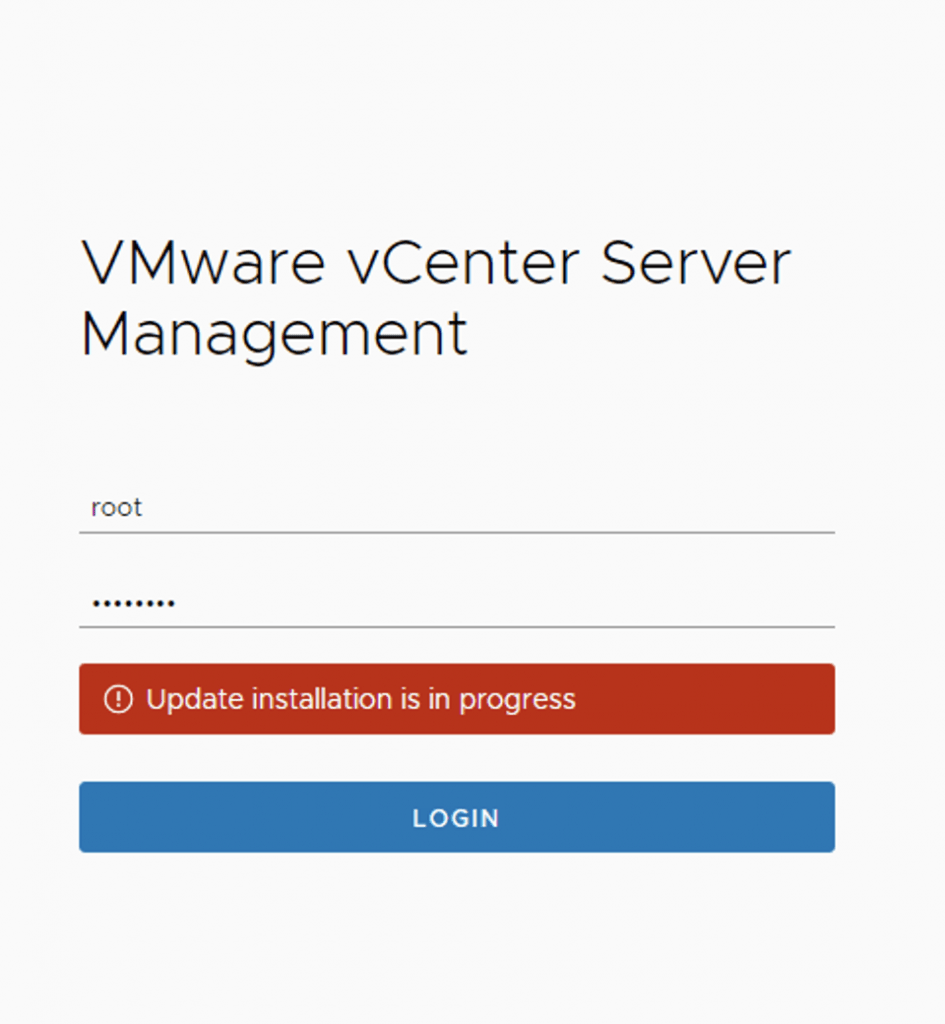
vCenter Appliance Update installation is in progress

I recently ran in to an issue where the vCenter server appliance update timed out. Rebooting the vCenter server brought the server back up but i was unable to log in to the administration section due to an Update installation in progress error Doing some research i found that there is a file that holds this information fount at /etc/applmgmt/appliance/software_update_state.conf At this point all i had to do was edit the file using vi ...

August 30, 2020 · 1 min · Cosmin

Upgrading ESXi via command line

I recently ran in to a problem where i couldn’t update my esx server from the UI so i wanted to to it from the command line. After doing some research this is the way i was able to do it: Step 1 was to open the firewall by running: esxcli network firewall ruleset set -e true -r httpClient Step 2 was to list the profiles available: esxcli software sources profile list -d https://hostupdate.vmware.com/software/VUM/PRODUCTION/main/vmw-depot-index.xml | grep -i ESXi-7 or if i already have a bundle downloaded available: ...

August 27, 2020 · 1 min · Cosmin
Article cover image

Install/Upgrade ESXi 7.0 on unsupported hardware.

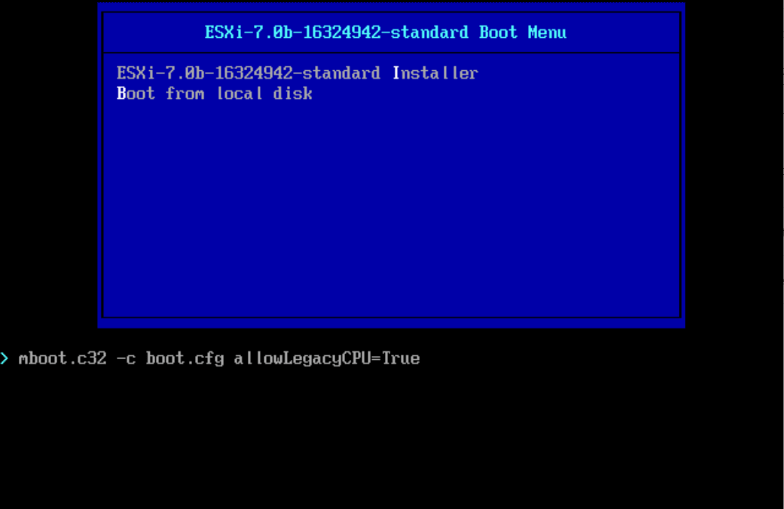
As i was installing\upgrading my lab environment to ESXi 7.0 i received an error that the CPU was unsupported. As per the release notes vSphere 7.0 release notes my CPU is no longer on the compatibility list. Since this is a lab environment i wanted to continue using my current hardware. It goes without saying that this method should not be used in a production environment. To allow the legacy CPU all i had to do is boot up from the ISO, on the boot Menu i pressed TAB or Shift + O and added allowLegacyCPU=True option as seen in the screenshot below ...

August 22, 2020 · 1 min · Cosmin