
Article cover image

Upgrading VCF 5.x to VCF 5.1.1 Step by Step

With the release of of VCF 5.1.1 I wanted to get my lab upgraded. The release blog can be found here and the release notes are here Please note that some of the components within the VCF will still need additional upgrading. Please read the release notes for additional details. We can start by going to Inventory -> Workload Domains -> Select the domain -> Update/Patches -> Select the VCF version -> Download now. If you do not see the newest releases go to Administration -> Online Depot and add a VMware Customer Connect account that has access to perform downloads. ...
April 6, 2024 · 3 min · Cosmin

Simplifying NSX Edge Removal in VMware Cloud Foundation (VCF) Environment

VMware Cloud Foundation (VCF) has revolutionized data center virtualization by seamlessly integrating compute, storage, and networking components. In a VCF environment, the NSX platform provides crucial software-defined networking capabilities. At times, removing NSX edges becomes necessary due to infrastructure changes, optimization efforts, or other reasons. To simplify this process, VMware has introduced the NSX Edge Removal Tool. In this blog post, we will explore how this tool can streamline the removal of NSX edges in a VCF environment while preserving dependencies. ...

July 5, 2023 · 3 min · Cosmin

Downloading specific VCF bundles via CLI

I wanted to reuse my VCF downloaded bundles on another SDDC Manager system so that i wont have to download it from internet again. I found an easy guide here in the VMware documentation. My goal was to download the specific bundle once and upload it on other SDDC Managers. The first command from SDDC manager was to list the bundles. The lcm bundle transfer utility can be found in /opt/vmware/vcf/lcm/lcm-tools/bin ...

July 5, 2023 · 2 min · Cosmin
Article cover image

Upgrading VCF 4.3.x to VCF 5 Step by Step

With the release of of VCF 5 I wanted to get my lab upgraded. The release blog can be found here and the release notes are here Please note that some of the components within the VCF will still need additional upgrading. Please read the release notes for additional details. We can start by going to Inventory -> Workload Domains -> Select the domain -> Update/Patches -> Select the VCF version -> Download now. If you do not see the newest releases go to Administration -> Online Depot and add a VMware Customer Connect account that has access to perform downloads. ...
June 27, 2023 · 4 min · Cosmin
Article cover image

Upgrading VCF 4.4.0 to 4.5 Step by Step

With the release of of VCF 4.5 i wanted to get my lab upgraded. The release blog can be found here and the release notes are here Please note that some of the components within the VCF will still need additional upgrading. Please read the release notes for additional details. We can start by going to Lifecycle Management -> Bundle management -> Download now. If you do not see the newest releases go to Administration -> Repository settings and add a VMware Customer Connect account that has access to perform downloads. ...

February 3, 2023 · 4 min · Cosmin
Article cover image

Skip-Level Upgrading VCF 4.x to 4.4.1 Step by Step

With the release of of VCF 4.4.1 i wanted to get my lab upgraded. The release blog can be found here and the release notes are here In order to get to 4.4.1.0 in the past we had to upgrade to each version incrementally. As per the documentation found here we can now upgrade from any release past 4.1.0.1 directly to 4.4.1 skipping the releases in between. We can do so by going to Repository -> Bundle management -> Download now. ...

June 6, 2022 · 4 min · Cosmin
Article cover image

Skip-Level Upgrading VCF 4.3.1 to 4.4 Step by Step

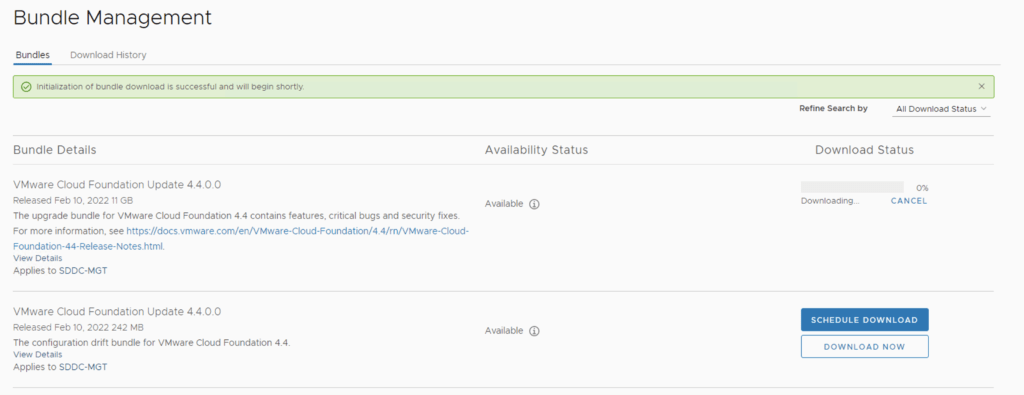
With the release of of VCF 4.4 i wanted to get my lab upgraded. The release blog can be found here and the release notes are here In order to get to 4.3.1.0 in the past we had to upgrade to each version incrementally. As per the documentation found here we can now upgrade from any release past 4.1.0.1 directly to 4.4 skipping the releases in between. We can do so by going to Repository -> Bundle management -> Download now. ...

March 31, 2022 · 3 min · Cosmin
Article cover image

Skip-Level Upgrading VCF 4.1.0.1 to 4.3.1.0 Step by Step

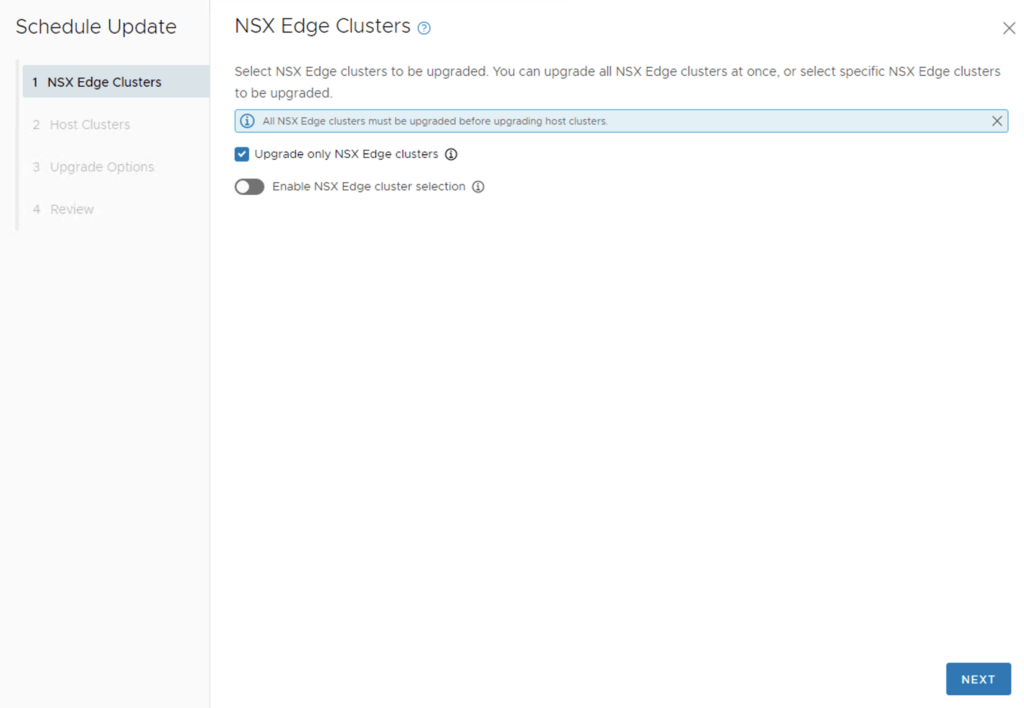
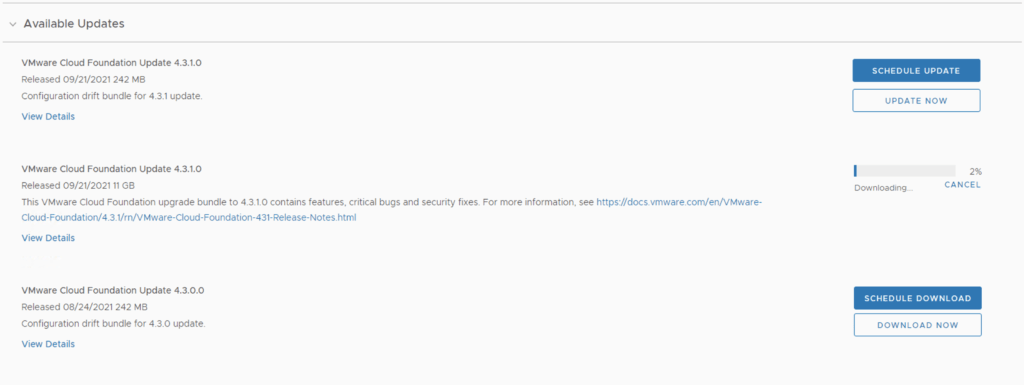
With the release of of VCF 4.3.1 i wanted to get my lab upgraded. The release blog can be found here and the release notes are here In order to get to 4.3.1.0 in the past we had to upgrade to each version incrementally. As per the documentation found here we can now upgrade from any release past 4.1.0.1 directly to 4.3.1 skipping the releases in between. We can do so by going to Repository -> Bundle management -> Download now. Download the Configuration drift bundle as well as the Update package. ...

October 23, 2021 · 3 min · Cosmin
Article cover image

Upgrading VCF 4.1.0.0 to 4.2.0.0 Step by Step

With the release of of VCF 4.2 i wanted to get my lab upgraded. The release blog can be found here and the release notes are here In order to get to 4.2.0.0 we have to upgrade to 4.1.0.1. We can do so by going to Repository -> Bundle management -> Download now The next step is to upgrade VCF by going to Inventory -> Workload Domains -> Select the workload domain -> Update/Patches -> Update Now for the VMware Cloud Foundation Update 4.1.0.1. The release notes can be found here ...

March 25, 2021 · 3 min · Cosmin
Article cover image

Upgrading VCF 4.0.1.1 to 4.1.0.0

With the release of of VCF 4.1 i wanted to get my lab upgraded. The release blog can be found here and the release notes are here In my case i pre downloaded the VMware Cloud Foundation Update 4.1.0.0 by going to Repository -> Bundle management -> Download now The next step is to upgrade VCF by going to Inventory -> Workload Domains -> Select the workload domain -> Update/Patches -> Update Now ...

October 14, 2020 · 3 min · Cosmin
