Mastering the /v1/credentials API in SDDC Manager for Enhanced Security Management

In the rapidly evolving landscape of VMware’s Cloud Foundation, security management is a cornerstone for maintaining the integrity and confidentiality of the software-defined data center (SDDC). The SDDC Manager, a critical component of VMware’s Cloud Foundation, offers a comprehensive suite of APIs for managing various aspects of the SDDC, including credentials management. This blog post delves into the specifics of leveraging the /v1/credentials API in SDDC Manager, offering a detailed guide for VMware professionals to enhance their security posture through efficient credentials management. ...

March 16, 2024 · 3 min · Cosmin

Upgrading Aria Automation without Lifecycle Manager: A Step-by-Step Guide

Upgrading Aria Automation (formerly known as vRealize Automation, vRA) is crucial for maintaining the efficiency, security, and compatibility of your automation tasks. For environments without VMware Aria Suite Lifecycle, you can still perform the upgrade using the vracli command-line utility. This blog post will guide you through the process of upgrading Aria Automation using two different methods: from a mounted ISO (CD-ROM) and from an online update repository URL. Prerequisites SSH access to your Aria Automation appliance. Sufficient backup of your Aria Automation environment. Downloaded ISO for the Aria Automation upgrade, if using the CD-ROM method. Access to the Aria Automation appliance with root privileges. Method 1: Upgrading from a Mounted ISO (CD-ROM) Prepare the ISO Image: Before starting, ensure that the ISO image for the Aria Automation upgrade is downloaded and available. Mount the ISO to the Appliance: Mount the ISO image to your Aria Automation appliance. This step might require physical access to the server or through the management interface provided by your hypervisor (e.g., ESXi). To mount the CD-ROM we can use: mount /dev/sr0 /mnt/cdrom SSH into the Aria Automation Appliance: Access your appliance via SSH as the root user. Execute the Upgrade Command: Run the following command to start the upgrade process: vracli upgrade exec -y --profile lcm --repo cdrom:// This command will automatically start the upgrade process using the ISO mounted on the CD-ROM drive. The -y flag automates the acceptance of the upgrade process, and --profile lcm specifies the use of the lifecycle manager upgrade profile, even though the Lifecycle Manager itself is not being used. Monitor the Upgrade Process: The upgrade process will provide output to the console. Monitor this output for any errors or prompts that require manual intervention. Use 'vracli upgrade status --follow' to monitor the progress. Finalize the Upgrade: Once the upgrade completes, follow any on-screen instructions to finalize the upgrade. This may include rebooting the Aria Automation appliance. Method 2: Upgrading from an Online Update Repository URL SSH into the Aria Automation Appliance: Ensure you have SSH access to the appliance as the root user. Determine the Repository URL: Identify the URL of the update repository you intend to use for the upgrade. This URL should point to the VMware online repository or an internally hosted repository mirror. Execute the Upgrade Command: Use the following command to initiate the upgrade from the online repository: vracli upgrade exec --profile lcm -r <url> Replace <url> with the actual URL of your update repository. Similar to the CD-ROM method, --profile lcm indicates the lifecycle manager upgrade profile. Monitor the Upgrade Process: As with the ISO method, keep an eye on the console output for any actions required on your part. Use 'vracli upgrade status --follow' to monitor the progress. Complete the Upgrade: After the upgrade process finishes, perform any additional steps prompted by the system, which may include system reboots. Post-Upgrade Steps Verify the Upgrade: Log in to the Aria Automation user interface to verify that the upgrade was successful and all services are running correctly. Review Logs: Check the upgrade logs for any warnings or errors that might need attention. Test Deployments: Execute a few test deployments to ensure that all functionalities are working as expected. Conclusion Upgrading Aria Automation without the Lifecycle Manager is straightforward with the vracli utility. Whether you’re upgrading from a mounted ISO or an online repository, the process is designed to be seamless. Always ensure that you have backups and a rollback plan in case of any issues.

February 14, 2024 · 3 min · Cosmin

A Step-by-Step Guide to Convert Native Cloud Virtual Machines to On-Prem vSphere with VMware Converter

Migrating virtual machines (VMs) from a cloud environment to an on-premises VMware vSphere infrastructure can be a daunting task. However, with the right tools and processes in place, it can be a seamless and efficient process. One such tool is the VMware Converter, which enables users to convert native cloud VMs\physical servers to vSphere machines. In this blog post, we will discuss the benefits and challenges of converting cloud VMs and provide a step-by-step guide for using VMware Converter to achieve this goal. ...

March 20, 2023 · 4 min · Cosmin

Differences between SaltStack and Terraform

Infrastructure management has come a long way in recent years, with a variety of tools and frameworks available to help you provision, configure, and manage your infrastructure. Two popular tools in this space are SaltStack and Terraform, but they serve different purposes and have different strengths. In this post, we’ll explore the differences between SaltStack and Terraform, and when you might choose one over the other. SaltStack: Configuration Management SaltStack is a configuration management tool that allows you to define and apply a set of configurations or settings to a group of servers or other infrastructure components. Configuration management is an important aspect of infrastructure management because it ensures that all servers and systems in your infrastructure are consistent and conform to a known configuration. This can help with security, reliability, and troubleshooting. ...

February 24, 2023 · 3 min · Cosmin

Why Choose VMware vRealize Automation (vRA) over Terraform

In the world of infrastructure as code (IAC), there are many tools to choose from. Two popular options are VMware vRealize Automation (vRA) and Terraform. While both have their strengths, there are compelling reasons to choose vRA over Terraform. End-to-End Automation: vRA automates the entire software-defined data center (SDDC) lifecycle, from provisioning to decommissioning. Terraform is more limited, focusing only on infrastructure provisioning. User Experience: vRA provides a user-friendly interface, making it easier for non-technical users to request and manage infrastructure. Terraform, on the other hand, requires more technical expertise to use effectively. Integration with VMware: vRA integrates with other VMware products, such as vSphere, NSX, and vSAN, allowing for a seamless experience. Terraform can also integrate with VMware, but it requires more manual effort to set up the integration. Enterprise-Grade Security: vRA includes enterprise-grade security features, such as role-based access control and multi-factor authentication. Terraform does not have built-in security features, requiring additional tools or manual effort to secure the environment. Robust Compliance Features: vRA includes compliance features, such as blueprints that enforce specific policies and standards, making it easier to meet regulatory requirements. Terraform does not have built-in compliance features, leaving it up to the user to ensure compliance. Strong Support: vRA has a large, global community of users and is backed by VMware, a well-established company in the tech industry. Terraform is a relatively new tool with a smaller community, making support and resources more limited. In conclusion, vRA offers a complete automation solution for the SDDC, making it a great choice for enterprises that want a user-friendly interface, strong security features, robust compliance features, and strong support. Terraform, while a powerful tool, is better suited for infrastructure provisioning and requires more technical expertise and manual effort to secure and ensure compliance.
February 1, 2023 · 2 min · Cosmin

SaltStack: The Ultimate Tool for Windows Patch Management

Windows systems are vulnerable to security threats and need to be regularly patched to protect against these threats. However, managing patches for a large number of Windows systems can be a tedious and time-consuming task. This is where SaltStack comes in to help. SaltStack is a popular open-source configuration management and orchestration tool that can be used to manage Windows systems, including patch management. In this blog, we will discuss how to use SaltStack to patch Windows systems. ...

January 31, 2023 · 3 min · Cosmin
Article cover image

Workaround instructions to address CVE-2021-44228 and CVE-2021-45046 in vRealize Operations 7.x

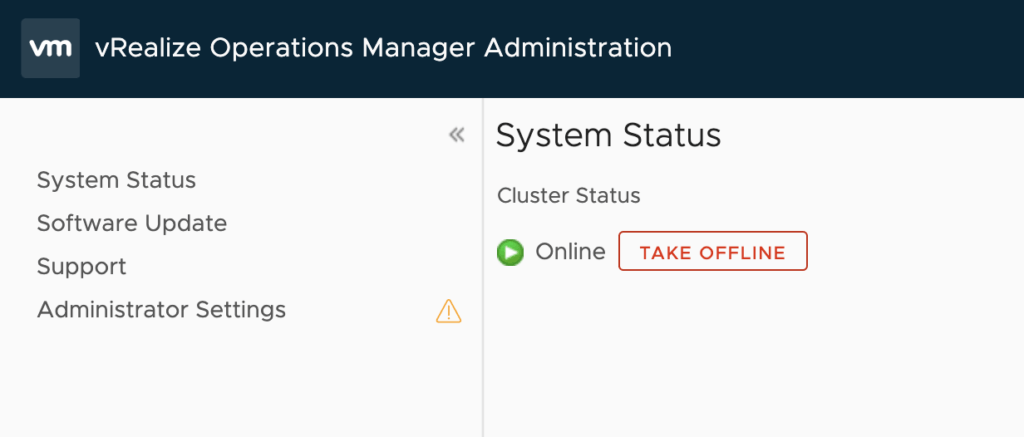
In this article i will go over one of the workaround instructions to address CVE-2021-44228 and CVE-2021-45046 in vRealize Operations 7.x. I have tested the workaround on vROPS 7.5 as its still shipped with VCF 3.x and i haven’t yet seen documentation on a workaround for this version. If you are looking for instructions for version 8.x consult kb article 87076. This has been tested on December 21 2021. Please check the official documentation or open a ticket for production usage. ...

December 22, 2021 · 4 min · Cosmin