SDDC SaltStack Modules - vSphere edition

In this blog post I will go over the steps I took in order to to be able to query my vCenter components from SaltStack using the SDDC SaltStack Modules. The SDDC SaltStack Modules were introduced in 2011. You can find the technical release blog here. The modules can be found on GitHub here. There is also a getting quick start guide that can be found here. I am using the pre packaged ova for deployment which includes most of the components however it does have some outdated packages. The first step for was to upgrade pip: ...
November 7, 2022 · 3 min · Cosmin
Article cover image

Upgrading SSC (SaltStack Config) to 8.10 using vRSLCM

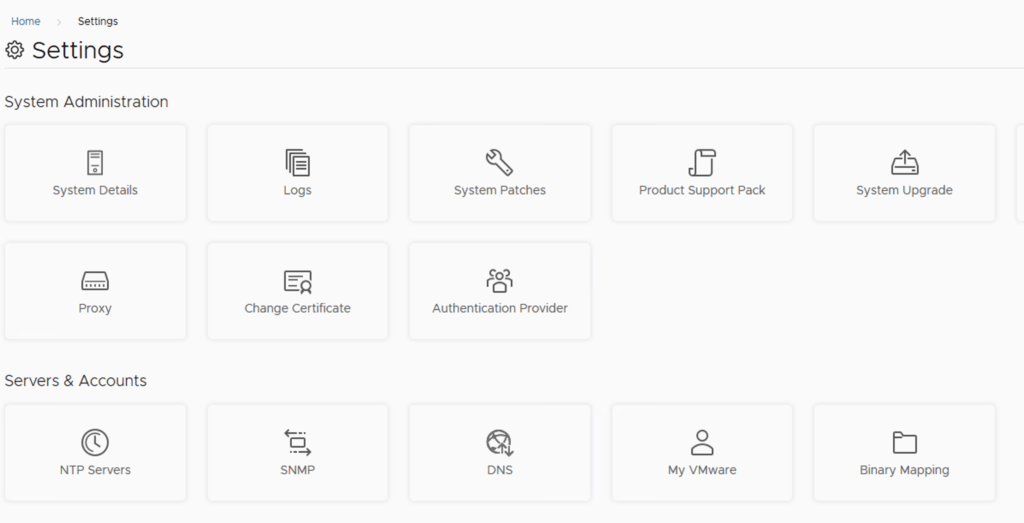
In this post i will go over upgrading my 8.x SSC appliance to 8.10. As a pre requirement we do need to have vRSLCM (vRealize Lifecycle Manager) upgraded to 8.10. Instructions can be found here. The upgrade already includes the latest management pack so a management pack upgrade is not required in this case. To get started we can go to vRealize Lifecycle Manager -> Lifecycle Operations -> Settings -> Binary Mapping. (If you haven’t added your My VMware credentials you will need to do that first by going to vRealize Lifecycle Manager -> Lifecycle Operations -> Settings -> My VMware) ...

October 13, 2022 · 2 min · Cosmin
Article cover image

Upgrading SSC (SaltStack Config) to 8.9.1 using vRSLCM

In this post i will go over upgrading my 8.x SSC appliance to 8.9.1. As a pre requirement we do need to have vRSLCM (vRealize Lifecycle Manager) upgraded to 8.8.2. Instructions can be found here. The upgrade doesn’t include the required Product support pack. Instructions on how to get the latest support pack can be found here. To get started we can go to vRealize Lifecycle Manager -> Lifecycle Operations -> Settings -> Binary Mapping. (If you haven’t added your My VMware credentials you will need to do that first by going to vRealize Lifecycle Manager -> Lifecycle Operations -> Settings -> My VMware) ...

September 10, 2022 · 2 min · Cosmin
Article cover image

Upgrading SSC (SaltStack Config) to 8.9 using vRSLCM

In this post i will go over upgrading my 8.x SSC appliance to 8.9. As a pre requirement we do need to have vRSLCM (vRealize Lifecycle Manager) upgraded to 8.8.2. Instructions can be found here. The upgrade doesn’t include the required Product support pack. Instructions on how to get the latest support pack can be found here. To get started we can go to vRealize Lifecycle Manager -> Lifecycle Operations -> Settings -> Binary Mapping. (If you haven’t added your My VMware credentials you will need to do that first by going to vRealize Lifecycle Manager -> Lifecycle Operations -> Settings -> My VMware) ...

September 9, 2022 · 2 min · Cosmin
Article cover image

Upgrading SSC (SaltStack Config) to 8.9 using vRSLCM

In this post i will go over upgrading my 8.x SSC appliance to 8.9. As a pre requirement we do need to have vRSLCM (vRealize Lifecycle Manager) upgraded to 8.8.2. The upgrade also requires the latest Product Support Pack to 8.8.2.1. The instructions to upgrade the management pack can be found here. To get started we can go to vRealize Lifecycle Manager -> Lifecycle Operations -> Settings -> Binary Mapping. (If you haven’t added your My VMware credentials you will need to do that first by going to vRealize Lifecycle Manager -> Lifecycle Operations -> Settings -> My VMware) ...

September 8, 2022 · 2 min · Cosmin
Article cover image

SSC 8.8 Authentication failed: no Authorization header

I recently upgraded my LCM deployed SSC server to 8.8.x. If you need a guide to go through the upgrade you can find my other post here. After the upgrade was completed i was noticing strange behavior in the SSC UI so i checked the status the of the services. Here are the errors i found and how i fixed them The first step was to check the status of the service ...

July 17, 2022 · 4 min · Cosmin
Article cover image

Upgrading SSC (SaltStack Config) to 8.8.2 using vRSLCM

In this post i will go over upgrading my 8.x SSC appliance to 8.8.2. As a pre requirement we do need to have vRSLCM (vRealize Lifecycle Manager) upgraded to 8.8.2. Instructions can be found here. The upgrade already includes the latest Product Support Pack so an update to the Product Support Pack is not required. To get started we can go to vRealize Lifecycle Manager -> Lifecycle Operations -> Settings -> Binary Mapping. (If you haven’t added your My VMware credentials you will need to do that first by going to vRealize Lifecycle Manager -> Lifecycle Operations -> Settings -> My VMware) ...

July 13, 2022 · 2 min · Cosmin
Article cover image

SSC 8.8 urllib3 (1.25.11) or chardet (4.0.0) doesn't match a supported version

I recently upgraded my LCM deployed SSC server to 8.8. If you need a guide to go through the upgrade you can find my other post here. After the upgrade was completed i was noticing strange behavior in the SSC UI so i checked the status the of the services. Here are the errors i found and how i fixed them The first step was to check the status of the service ...

May 16, 2022 · 3 min · Cosmin

SSC 8.8 sseapi_rpc_queue: could not connect to SSE server

I recently upgraded my LCM deployed SSC server to 8.8. If you need a guide to go through the upgrade you can find my other post here. After the upgrade was completed i was noticing strange behavior in the SSC UI so i checked the status the of the services. Here are the errors i found and how i fixed them The first step was to check the status of the service ...

May 15, 2022 · 3 min · Cosmin
Article cover image

Upgrading SSC (SaltStack Config) to 8.8

In this post i will go over upgrading my 8.x SSC appliance to 8.8. As a pre requirement we do need to have vRSLCM (vRealize Lifecycle Manager) upgraded to 8.8. Instructions can be found here. The upgrade already includes the latest Product Support Pack so an update to the Product Support Pack is not required. To get started we can go to vRealize Lifecycle Manager -> Lifecycle Operations -> Settings -> Binary Mapping. (If you haven’t added your My VMware credentials you will need to do that first by going to vRealize Lifecycle Manager -> Lifecycle Operations -> Settings -> My VMware) ...

May 15, 2022 · 2 min · Cosmin