Salt vs. BigFix: The Speed of Light vs. The Heavyweight Champion

In the world of infrastructure management, we are often forced to choose between the legacy reliability of the past and the high-speed automation of the future. For years, HCL BigFix (formerly IBM BigFix) has been the “Heavyweight Champion”—a massive, unmovable force in endpoint management. But a challenger has matured into a dominant player: Salt (SaltStack). If you are building a modern, self-healing infrastructure, the conversation shouldn’t just be about “patching.” It should be about reaction time, extensibility, and developer experience. ...
January 27, 2026 · 4 min · Cosmin
Article cover image

Upgrading VCF 9.0 SDDC Manager to 9.0.1: A Step-by-Step Guide

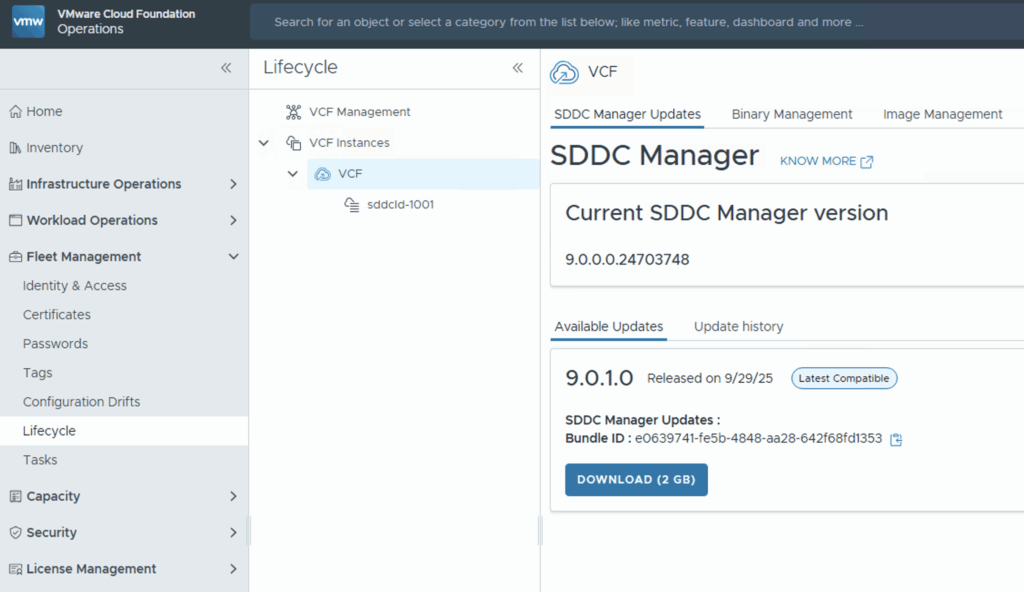
Upgrading your SDDC Manager from version 9.0 to 9.0.1 is a relatively straightforward process when done through the integrated Lifecycle interface. Below is a guide to go over this patch upgrade. 1. Navigate to the Update Section Log into Operations → Fleet Management. Under Lifecycle → VCF Instances, select the VCF instance you want to upgrade. Look for the available update section. If you see SDDC Manager Update 9.0.1, click the Download icon. If no update appears, double-check your depot configuration and ensure your binary repositories are correctly set up. ...

October 9, 2025 · 1 min · Cosmin
Article cover image

Upgrading VCF 9.0.0 Fleet Management to 9.0.1: A Step-by-Step Guide

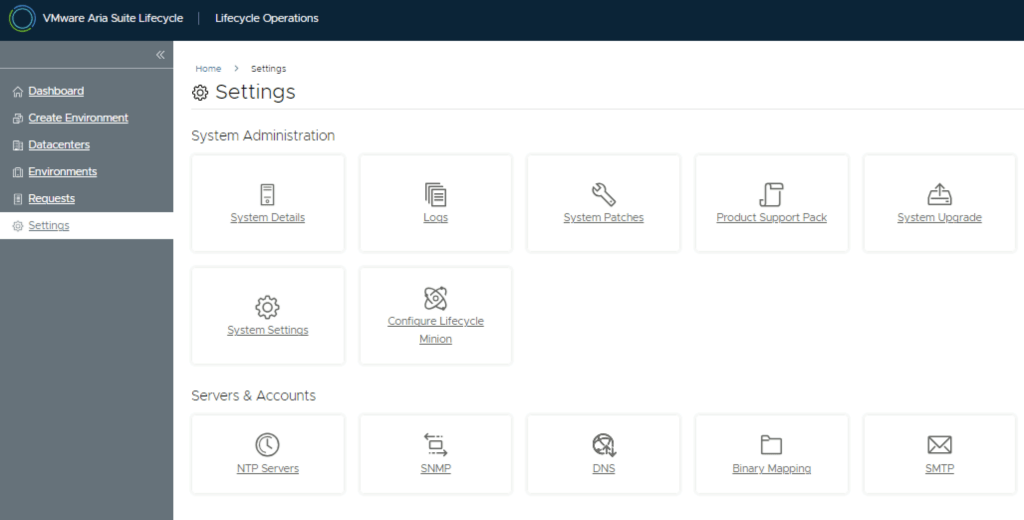
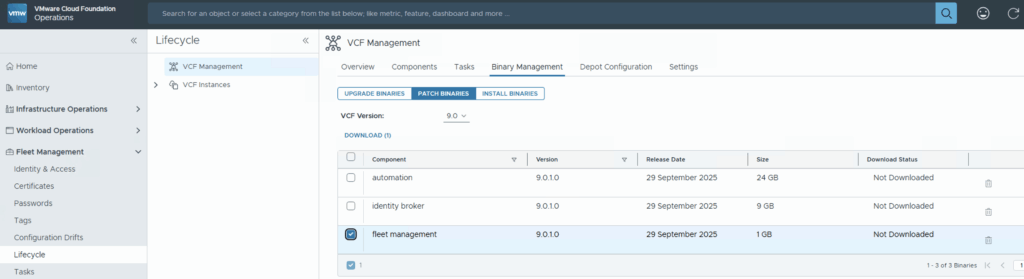
Upgrading your VCF Fleet Management from version 9.0.0 to 9.0.1 is a relatively modest patch update, but careful execution ensures minimal disruption. Below is a step-by-step guide to walk you through the process safely. Download the Patch Download the patch by going to Fleet Management -> Binary Management -> Patch Binaries -> Select fleet management -> Download. Upload & Stage the Patch Once the download is complete go to Settings -> System Patches -> New Patch ...

October 9, 2025 · 1 min · Cosmin
Article cover image

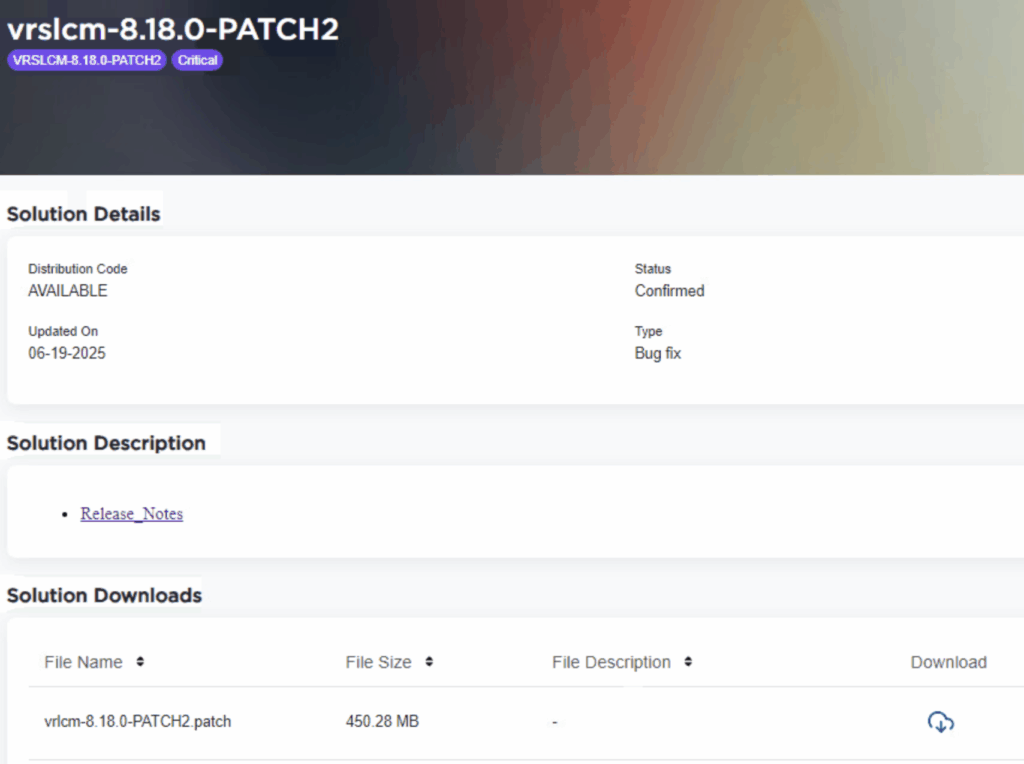
Applying VMware Aria Suite Lifecycle Manager 8.18 Patch 2

Patch 2 prepares Aria Suite Lifecycle Manager (ASLCM) for VMware Cloud Foundation 9.0 migrations. It does not deliver new features or hot-fixes, so only install it if VCF 9.0 (or the new VCF Operations appliance) is on your near-term roadmap. Why Patch 2 Matters Patch 2 updates the appliance-level services that let ASLCM recognize and orchestrate VCF 9.0 components (for example, Aria Operations 9.0). Without it, the 8.18 lifecycle UI cannot import or upgrade those binaries. If you are staying on VCF 5.x/8.x for a while, you can safely defer this patch. ...

June 20, 2025 · 3 min · Cosmin

Understanding VMSA-2025-0004 and Protecting Your VMware Environment

Today, I’m diving into a critical issue that demands immediate attention for anyone managing VMware environments: VMSA-2025-0004. Released by Broadcom on March 4, 2025, this security advisory highlights severe vulnerabilities in VMware ESXi, Workstation, and Fusion—products that form the backbone of many virtualized infrastructures. Here’s what you need to know and how to respond, especially since patches are not yet available as of this writing. What is VMSA-2025-0004? VMSA-2025-0004 addresses multiple vulnerabilities that could allow attackers to compromise VMware’s virtualization platforms. The most alarming of these is CVE-2025-22224, a Time-of-Check Time-of-Use (TOCTOU) vulnerability leading to an out-of-bounds write. Rated as critical with a CVSSv3 score of 9.3, this flaw enables a malicious actor with local administrative privileges on a virtual machine (VM) to execute code as the VMX process on the host. In plain terms, an attacker could break out of the VM and take over the hypervisor, potentially gaining control of the host and all VMs running on it. ...

March 4, 2025 · 5 min · Cosmin
Article cover image

Upgrading Aria Operations to 8.18.2 Using a .PAK File

Upgrading Aria Operations (formerly VMware vRealize Operations) is a crucial task to ensure you’re using the latest features, security patches, and performance improvements. In this guide, we’ll walk through the step-by-step process of upgrading Aria Operations using a .pak file. Prerequisites Before starting the upgrade, ensure the following prerequisites are met: Backup the Existing Deployment: • Take a snapshot of all nodes in the Aria Operations (Master, Cloud proxies, and any other nodes). ...

January 16, 2025 · 3 min · Cosmin
Article cover image

Upgrading Aria Automation to 8.18.1 Patch 1

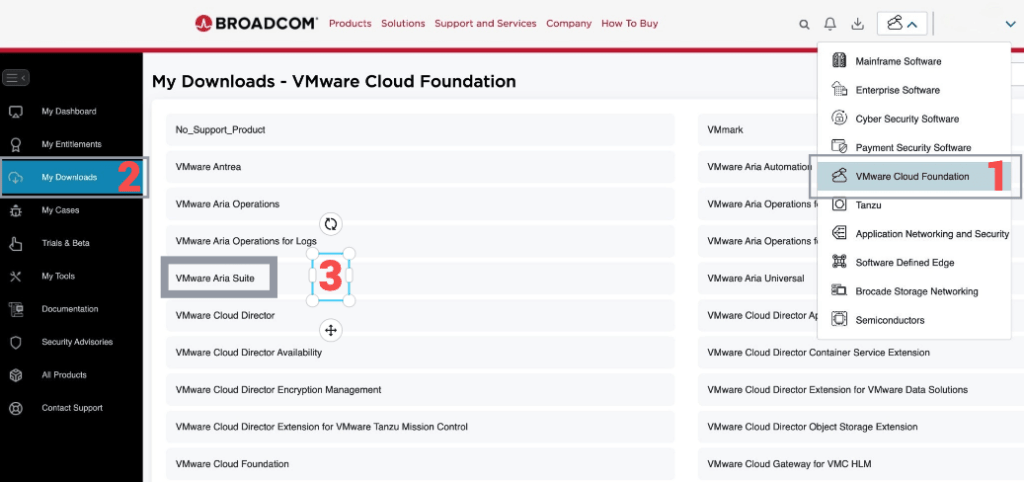
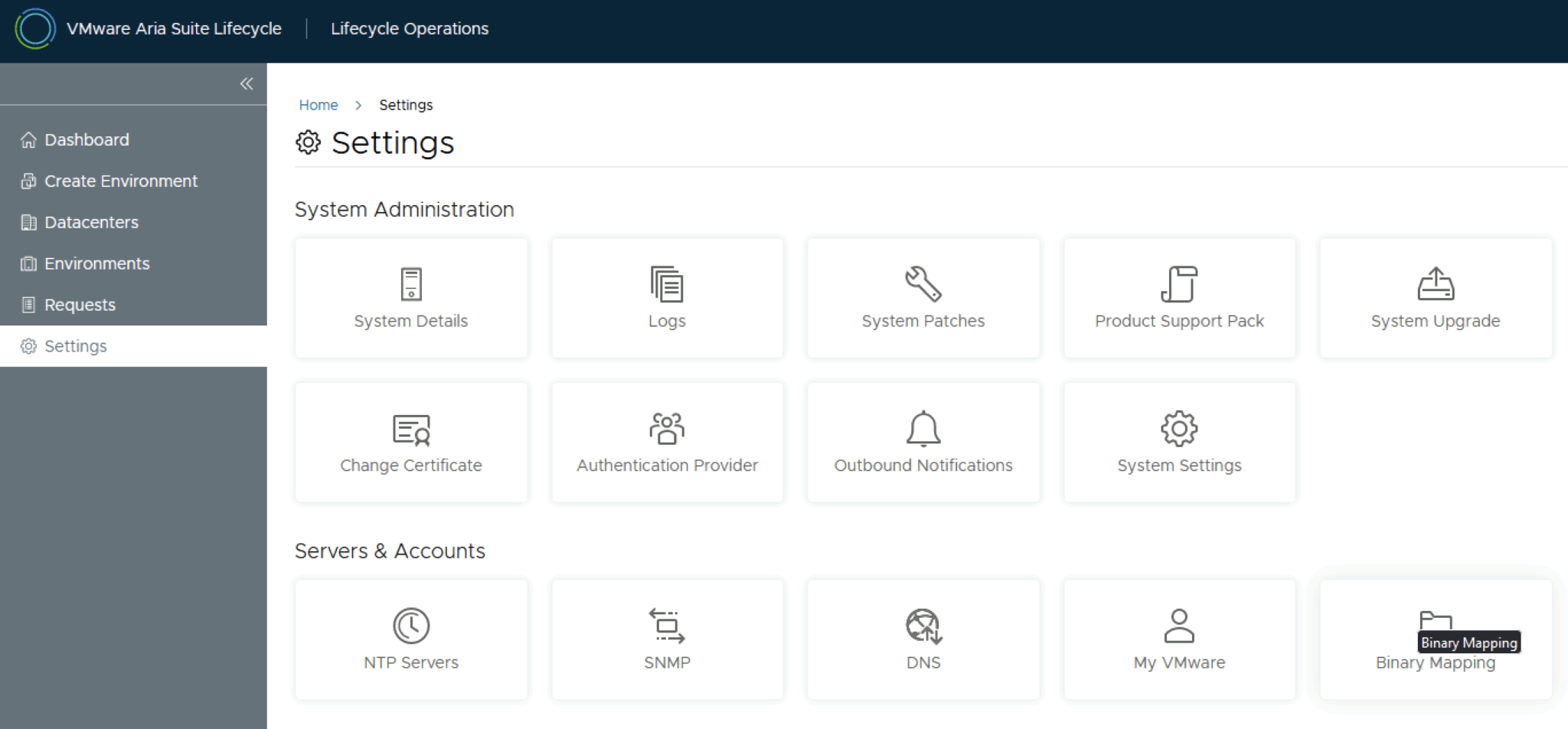
In this post, I will cover upgrading my 8.x Aria Automation appliance to version 8.18.1 Patch 1. As a prerequisite, we need to have Aria Suite Lifecycle upgraded to 8.18. Instructions can be found here. Note that the upgrade does not include the latest PSPACK containing the 8.18.1 Patch 1 Aria Automation release. Instructions for obtaining the PSPACK are available in here. Note: Following the VMware by Broadcom Day 2 transition on May 6, 2024, Customer Connect has been migrated to the Broadcom Support. This migration impacts the VMware Aria Suite Lifecycle as follows: All Product Support Packs, along with product and patch binaries, will now need to be downloaded from the Broadcom Support Portal Users must then manually map these into the VMware Aria Suite Lifecycle VMware Aria Suite Lifecycle can be upgraded using “Check Online” method. Product Support Packs are cumulative, incorporating all updates from previous product support packs as well as patches into the latest version. The Aria Automation Patch 1 binaries can be downloaded from here. In my case, it was VMware Aria Automation 8.18.1 .patch file (vrlcm-vra-8.18.1-8.18.1.36859.patch). Once downloaded, LCM supports local mappings. In my case, I uploaded the patch in /data/temp ...

January 16, 2025 · 2 min · Cosmin
Article cover image

Step-by-Step Guide: Upgrading Aria Operations for Logs to 8.18.1 Using a .PAK File

Upgrading Aria Operations for Logs (formerly VMware vRealize Log Insight) is a crucial task to ensure you’re using the latest features, security patches, and performance improvements. In this guide, we’ll walk through the step-by-step process of upgrading Aria Operations for Logs using a .pak file. Prerequisites Before starting the upgrade, ensure the following prerequisites are met: Backup the Existing Deployment: • Take a snapshot of all nodes in the Aria Operations for Logs cluster (Master, Worker, and any nodes). ...

January 16, 2025 · 3 min · Cosmin
Article cover image

Upgrading Aria Operations for Logs to 8.18.1 via VMware Aria Suite Lifecycle

In this post, I will guide you through upgrading your 8.x vRLI appliance to Aria Operations for Logs 8.18.1 using VMware Aria Suite Lifecycle. Before proceeding, ensure that your VMware Aria Suite Lifecycle is upgraded to version 8.18. You can find the upgrade instructions here. Note that the upgrade does not include the latest PSPACK containing the 8.18.1 Aria Operations for Logs release. Instructions for obtaining the PSPACK are available in here. ...

January 16, 2025 · 2 min · Cosmin
Article cover image

Aria Suite Lifecycle 8.18 Product Support Pack (PSPACK4) upgrade - manual version

In this guide i will go over the manual steps of getting an existing 8.x Aria Suite Lifecycle appliance to support the latest product releases available. Here is a great blog that goes in to the details about what the Product Support Pack is https://blogs.vmware.com/management/2019/01/vrslcm-pspak.html. Typically the newer Product Support Pack is included part of the upgrade for Aria Suite Lifecycle, however sometimes there are product releases in between releases where product support packs come in handy. As of 8.16.0 Product Support Pack 4 we can no longer automatically download the Product Support Pack files. The release notes can be found here. ...

January 16, 2025 · 2 min · Cosmin