Unstuck Your VCF Lab: A Script to Bypass Compatibility & Interoperability Checks

If you spend enough time building out VMware Cloud Foundation (VCF) in a lab, Proof of Concept, or nested environment, you will eventually hit “The Wall.” You know the hardware works. You know the ESXi versions will play nicely together. But SDDC Manager’s automated guardrails, the strict Hardware Compatibility List (HCL) checks and VVS (VMware Validated Solutions) interoperability validations throw up a red flag and stop your deployment or upgrade dead in its tracks. ...
February 9, 2026 · 4 min · Cosmin
Article cover image

Deploying VCF Fleet Management 9 from OVA: A Step-by-Step Guide

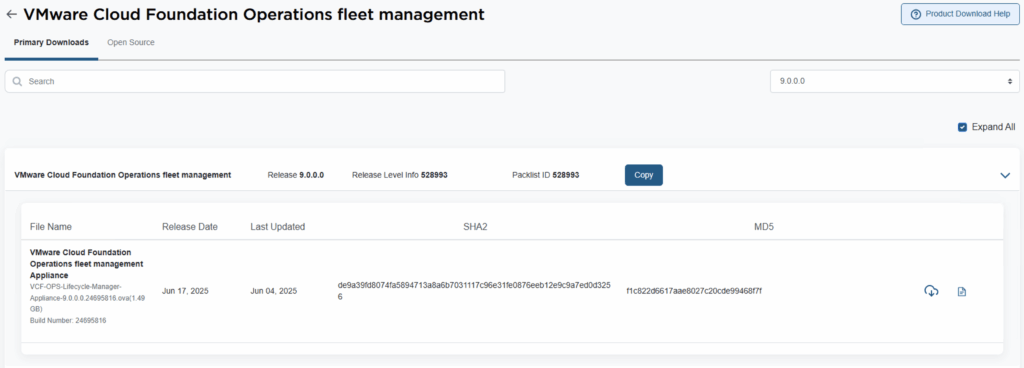
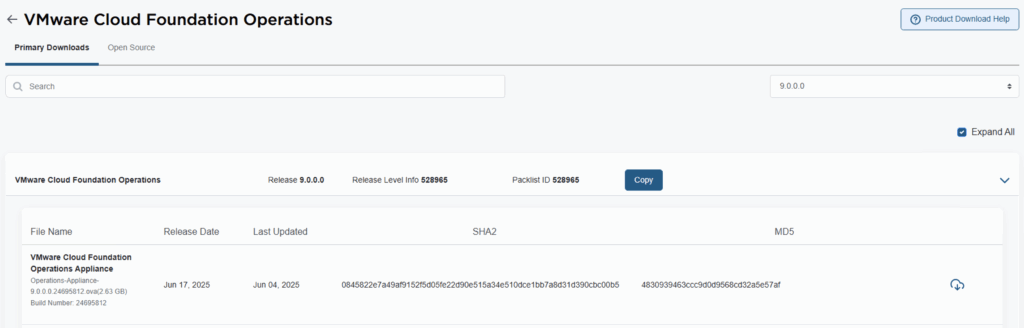
Deploying the VCF Fleet Management (Operations / Fleet Manager) appliance using an OVA is a common approach when standing up a new VMware Cloud Foundation (VCF) 9 environment or re-deploying the component. Below is a refined guide covering the deployment, configuration, and integration steps. 1. Prerequisites & Downloading Binaries Before you deploy the OVA: Log into the Broadcom Support Portal and obtain the required binaries and OVA files for the Fleet Manager. Direct link can be found here. ...

October 9, 2025 · 3 min · Cosmin
Article cover image

Deploying VCF Operations 9 from OVA: A Step-by-Step Guide

VMware Cloud Foundation 9 (VCF 9) introduces a streamlined deployment experience with the VCF Installer appliance, replacing the older Cloud Builder model. One of the core components in that workflow is VCF Operations, which provides unified lifecycle, monitoring, and fleet management across your private cloud environment. In this guide, we walk through deploying VCF Operations 9 from an OVA, detailing prerequisites, deployment steps, and post-deploy tasks. 1. Prerequisites & Preparation Before you deploy, make sure these items are in place: ...

October 3, 2025 · 3 min · Cosmin
Article cover image

Suppress ESXi Host Alerts in VCF Operations 9 When a Host Enters Maintenance Mode

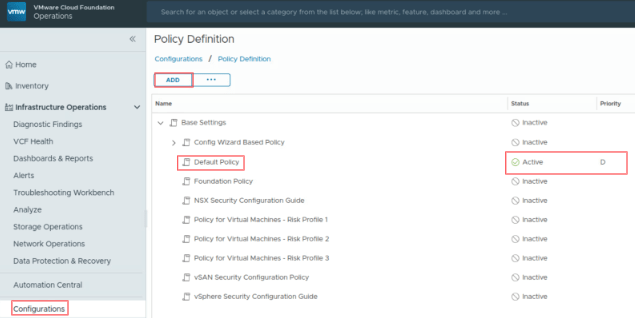
When a vSphere admin places an ESXi host in vCenter maintenance mode, VCF Operations should automatically suppress host alerts for that object, without pausing metric collection, and then restore alerting when maintenance ends. Why this approach? In VCF 9, you can avoid alert noise during maintenance in two ways: Maintenance Schedules – pause both collection and alerts during a defined window (best for planned maintenance). Policy-based alert suppression (this post) – keep metrics flowing but disable host alert definitions while the host is in maintenance. This is done with a policy attached to a dynamic custom group keyed to the host’s Maintenance Mode property. Note on naming: In VCF 9, VCF Operations is the successor to Aria/vRealize Operations and is part of the unified Cloud Foundation experience. If you’re upgrading from Aria Operations, see Broadcom’s “Upgrade to VCF Operations 9.0.” ...

July 30, 2025 · 3 min · Cosmin

Understanding VMSA-2025-0004 and Protecting Your VMware Environment

Today, I’m diving into a critical issue that demands immediate attention for anyone managing VMware environments: VMSA-2025-0004. Released by Broadcom on March 4, 2025, this security advisory highlights severe vulnerabilities in VMware ESXi, Workstation, and Fusion—products that form the backbone of many virtualized infrastructures. Here’s what you need to know and how to respond, especially since patches are not yet available as of this writing. What is VMSA-2025-0004? VMSA-2025-0004 addresses multiple vulnerabilities that could allow attackers to compromise VMware’s virtualization platforms. The most alarming of these is CVE-2025-22224, a Time-of-Check Time-of-Use (TOCTOU) vulnerability leading to an out-of-bounds write. Rated as critical with a CVSSv3 score of 9.3, this flaw enables a malicious actor with local administrative privileges on a virtual machine (VM) to execute code as the VMX process on the host. In plain terms, an attacker could break out of the VM and take over the hypervisor, potentially gaining control of the host and all VMs running on it. ...

March 4, 2025 · 5 min · Cosmin
Article cover image

Single Node vSAN

Setting up a vSAN cluster on a single ESXi host without vCenter is simpler than you might think. This guide walks you through a CLI-based method to configure VMware by Broadcom’s vSAN in a standalone environment. Whether you’re testing in a lab or laying the groundwork for a larger cluster, a single node vSAN deployment offers a flexible starting point that scales as your needs grow. What Is a Single Node vSAN? VMware by Broadcom’s vSAN is designed for multi-host clusters managed by vCenter, typically requiring at least two hosts for production resilience. However, with CLI tools, you can establish a vSAN cluster on a single ESXi host. This setup is ideal for experimentation or initiating a cluster, providing a solid base for later expansion with vCenter and additional nodes. ...

February 27, 2025 · 4 min · Cosmin
Article cover image

Automating Legacy Boot Option Checks Across ESXi Hosts with PowerShell and Plink

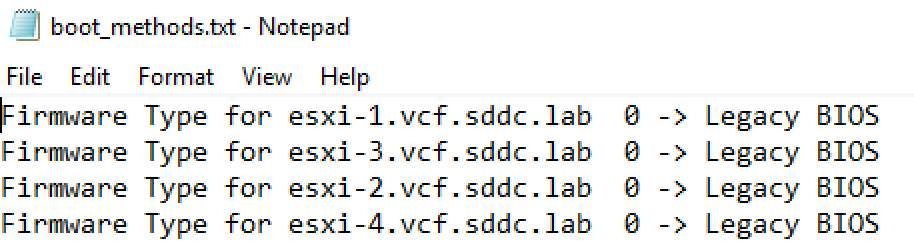
In the evolving landscape of VMware ESXi environments, maintaining compatibility and ensuring that systems adhere to specific boot requirements is essential. As more environments transition towards UEFI, there might still be a need to check or enforce legacy BIOS boot methods on certain ESXi servers, especially for compatibility with older hardware or specific operational requirements. This blog post will guide VMware administrators on how to automate the process of checking the boot option (UEFI or Legacy BIOS) on multiple ESXi hosts using PowerShell and Plink. ...

April 11, 2024 · 3 min · Cosmin

Mastering the /v1/credentials API in SDDC Manager for Enhanced Security Management

In the rapidly evolving landscape of VMware’s Cloud Foundation, security management is a cornerstone for maintaining the integrity and confidentiality of the software-defined data center (SDDC). The SDDC Manager, a critical component of VMware’s Cloud Foundation, offers a comprehensive suite of APIs for managing various aspects of the SDDC, including credentials management. This blog post delves into the specifics of leveraging the /v1/credentials API in SDDC Manager, offering a detailed guide for VMware professionals to enhance their security posture through efficient credentials management. ...

March 16, 2024 · 3 min · Cosmin

Downgrading the ESXi version to a different build

During one of the recent upgrades in my VCF environment i accidentally upgraded the ESXi 7.x build number to a later build that was not in the validated design which caused all kinds of issues and errors in my sddc manager. In order to address this i wanted to see i could actually downgrade the packages to a lower build number. It goes without saying that this procedure should not be done in a production environment and you should contact VMware customer support for an supported downgrade method. We will be working in the ESXi cli on this guide ...

October 25, 2021 · 2 min · Cosmin
Article cover image

Shutting down a vSAN Cluster

I have the need to completely shut down some of my vSAN clusters for various clusters and ive been having a hard time finding the proper procedure. As of 2/16/2021 VMware released guidance here Here are the steps i took to do it on my end. If you have the vCLS service enabled follow my other instructions here prior to starting the rest of this guide. Disable cluster member updates from vCenter on each ESXi host in the cluster by running ...

March 27, 2021 · 1 min · Cosmin