Article cover image

Unable to Sync Lifecycle Manager 'integrity.fault.HostPatchInvalidVendorCode'

After upgrading my vCenter Server to the latest vSphere 7.0 Update 1, I was unable to see ESXi 7.0 Update 1 Image. When I attempted to sync the updates I got the error “Download patch definitions task failed while syncing depots. Error: ‘integrity.fault.HostPatchInvalidVendorCode’.” Seeing as the error mentioned the depots, navigate to Menu->Lifecycle Manager and then select the Settings tab and then Patch Setup. Select the radio button for Partner provided Addons for ESXi and click Disable. Proceed to click on Action and then Sync Updates. The sync should now complete successfully. ...

October 10, 2020 · 1 min · Cosmin
Article cover image

Adding keys in vRealize Lifecycle Manager in a VCF 4 Environment

From a lifecycle manager perspective we have a couple of ways to add keys to the environment If the my vmware user that is added to lifecycle manager has access to they keys, the keys can automatically discovered and imported. For this we can go to the locker from Home -> Locker -> License. If the keys are not discovered we can click on the refresh button up top to perform a manual sync ...

September 13, 2020 · 1 min · Cosmin
Article cover image

vRealize Lifeycycle Manager (vRSLCM) 8 certificate mangement

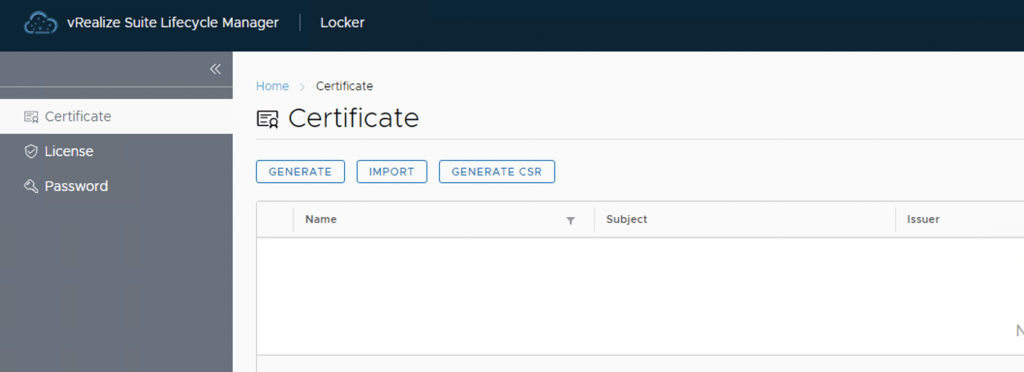
vRealize Lifeycycle Manager (vRSLCM) come with a Certificate Management feature. We can access the certificate management from Home -> Locker -> Certificate We can generate Self Signed certificates for products managed by Lifecycle Manager as well as certificate requests to be signed by a certification authority Generate a new CSR Download the CSR and take it to the certified authority, in my case im using a Microsoft server /certsrv/certrqxt.asp ...

September 13, 2020 · 1 min · Cosmin
Article cover image

vRealize Lifeycycle Manager (vRSLCM) enable product dowloads

In order to enable product downloads in lifecycle manager we need to go to Lifecycle Operations Settings -> My vmware Add my vmware account. Make sure the account added has a proper entitlement to perform downloads and patches. With the releases of 8.x and above we now have a password vault that we need to add the passwords to. When presented with the add my VMware Account Detail screen press on Click here to add a new password ...

September 13, 2020 · 2 min · Cosmin