vROPs DRS requirements across multiple data centers

vSphere Resource Management with vRealize Operations (vROPs) DRS across multiple data centers is a critical requirement for managing large-scale virtualized environments. In this blog, we’ll discuss the requirements for using DRS in vROPs across multiple data centers. Cross vCenter vMotion (CVC-vMotion) Support: CVC-vMotion enables vMotion of virtual machines across multiple vCenter servers. This capability is a pre-requisite for vROPs DRS across multiple data centers. vCenter Server 6.7 Update 1 or later: vROPs DRS across multiple data centers requires vCenter Server 6.7 Update 1 or later. This ensures that the necessary APIs are available to enable vROPs to manage resources across multiple vCenter servers. Network Connectivity: All data centers should have a reliable and high-speed network connectivity, with the necessary firewall ports opened for communication between vCenter servers and vROPs instances. vROPs Replication: vROPs instances in different data centers must be able to communicate with each other. vROPs replication can be used to keep the data in all vROPs instances in sync, ensuring that the vROPs DRS decisions are based on consistent data. Same vROPs version: All vROPs instances must be running the same version of vROPs to ensure compatibility and prevent any issues with data consistency. Same vROPs license: All vROPs instances must be licensed with the same vROPs license, and the license should include the vROPs DRS capability. Cluster Configuration: The virtual machines that need to be managed by vROPs DRS must be in a vSphere cluster that spans across multiple vCenter servers. The vSphere cluster must be configured with the appropriate DRS settings, such as automated DRS, to ensure that vROPs DRS can make effective resource management decisions. In conclusion, vROPs DRS across multiple data centers is a powerful tool for managing virtualized environments at scale. By following these requirements, organizations can ensure that their vROPs DRS implementation is effective, efficient, and reliable.
January 30, 2023 · 2 min · Cosmin

DRS Rules in vROPs and vCenter

The Distributed Resource Scheduler (DRS) is a key component of the vSphere platform, and is used to manage resource allocation and workload distribution within virtualized data centers. DRS works by analyzing resource utilization and workload demands of virtual machines (VMs) and making recommendations for placement and resource allocation based on a set of rules. In the context of vRealize Operations Manager (vROps), DRS rules play an important role in ensuring optimal performance and utilization of virtualized resources. By using vROps, administrators can monitor resource utilization and workload demands in real-time, and make informed decisions about resource allocation based on this data. ...

January 30, 2023 · 2 min · Cosmin

Enabling Basic authentication in VMware Orchestrator

VMware Orchestrator is a powerful automation platform for administrators. In order to secure the access to the Orchestrator, it is recommended to use Single Sign-On (SSO) authentication. However, there may be instances where SSO is not available and you need to use basic authentication instead (ex: Aria Operations plugin). In this case, you can set the value of com.vmware.o11n.sso.basic-authentication.enabled property to true. Here are the steps to set com.vmware.o11n.sso.basic-authentication.enabled value in VMware Orchestrator: ...

January 29, 2023 · 2 min · Cosmin
Article cover image

Upgrading vROPS (vRealize Operations Manager) to 8.6.3 via vRSLCM

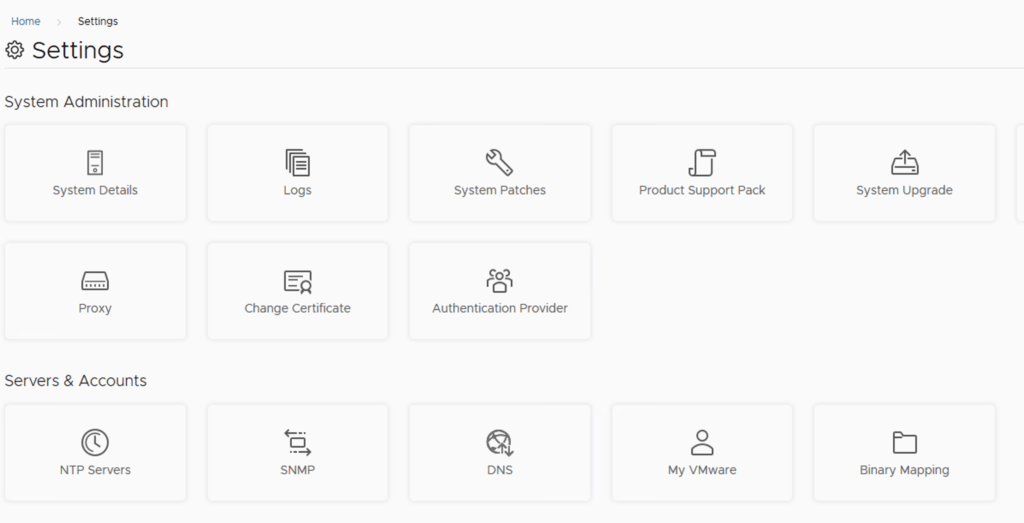
In this post i will go over upgrading my 8.x vROPS appliance to 8.6.3 using vRSLCM (vRealize Suite Lifecycle Manager). As a pre requirement we do need to have vRSLCM (vRealize Lifecycle Manager) upgraded to 8.8 Instructions can be found here. The upgrade already includes the latest Product Support Pack so an update to the Product Support Pack is not required. To get started we can go to vRealize Lifecycle Manager -> Lifecycle Operations -> Settings -> Binary Mapping. (If you haven’t added your My VMware credentials you will need to do that first by going to vRealize Lifecycle Manager -> Lifecycle Operations -> Settings -> My VMware) ...

May 16, 2022 · 3 min · Cosmin
Article cover image

Installing an vROPS management pack via vRSLCM

This post we will be going over installing an vROPS management pack via vRSLCM. (If you haven’t added your My VMware credentials you will need to do that first by going to vRealize Lifecycle Manager -> Lifecycle Operations -> Settings -> My VMware) Once logged on to vRSLCM click on the marketplace. Alternatively we can also navigate to the marketplace by navigating to it via the side menu ...

April 2, 2022 · 2 min · Cosmin
Article cover image

Upgrading vROPS (vRealize Operations Manager) to 8.6.2 via vRSLCM

In this post i will go over upgrading my 8.x vROPS appliance to 8.6.2 using vRSLCM (vRealize Suite Lifecycle Manager). As a pre requirement we do need to have vRSLCM (vRealize Lifecycle Manager) upgraded to 8.6.2 or 8.7 Instructions can be found here. The upgrade already includes the latest Product Support Pack so an update to the Product Support Pack is not required. To get started we can go to vRealize Lifecycle Manager -> Lifecycle Operations -> Settings -> Binary Mapping. (If you haven’t added your My VMware credentials you will need to do that first by going to vRealize Lifecycle Manager -> Lifecycle Operations -> Settings -> My VMware) ...

April 2, 2022 · 3 min · Cosmin

vROPS Cloud Proxy docker routing

I recently ran into a problem where i needed to route the subnet that is being used for the docker routing on the vROPS Cloud Proxy appliance. The network used is 172.17.0.0/16. For this we will try to route a portion of that subnet through my ethernet interface To test the configuration out without adding a persistent route i used the following command: ip route add 172.17.11.0/24 via 172.16.11.1 dev eth0 Verify that everything is running properly, if anything went wrong the route should get reverted on the next reboot. If the changes are successful we can add the route as persistent by editing the network configuration using vi: ...

January 18, 2022 · 1 min · Cosmin
Article cover image

Deploying the vROPS cloud proxy

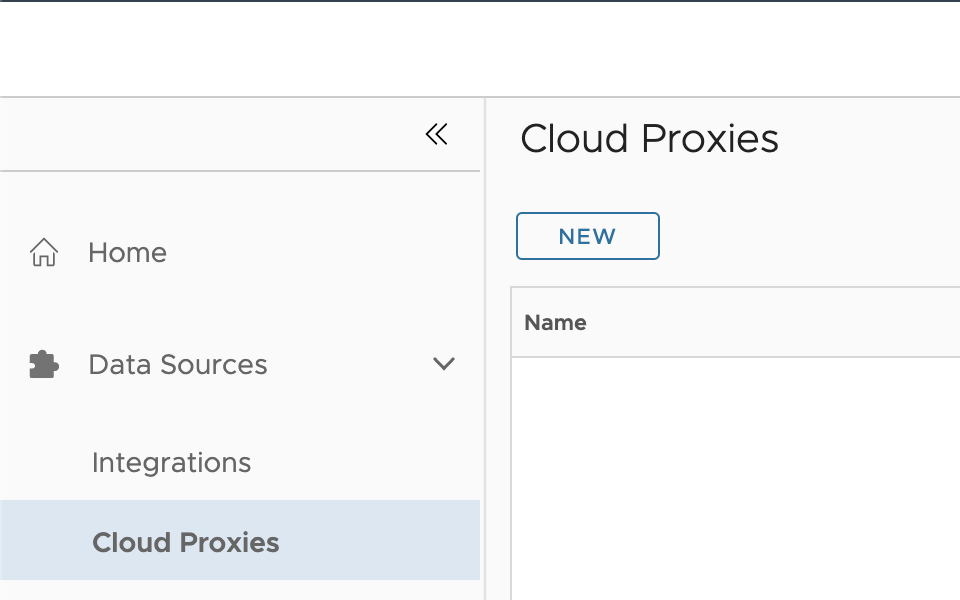
In this guide we will go over Deploying the vROPS cloud proxy for cloud as well as on premise. The official VMware documentation can be found here To get started log in to your vROPS instance. If its cloud it would be something similar to https://www.mgmt.cloud.vmware.com/vrops-cloud/ui/index.action For on premise it would be https://vrops_url/ui/login.action Once you are logged on We can go to Data Sources -> Cloud Proxies and press on New. example: ...

January 4, 2022 · 3 min · Cosmin
Article cover image

Workaround instructions to address CVE-2021-44228 and CVE-2021-45046 in vRealize Operations 7.x

In this article i will go over one of the workaround instructions to address CVE-2021-44228 and CVE-2021-45046 in vRealize Operations 7.x. I have tested the workaround on vROPS 7.5 as its still shipped with VCF 3.x and i haven’t yet seen documentation on a workaround for this version. If you are looking for instructions for version 8.x consult kb article 87076. This has been tested on December 21 2021. Please check the official documentation or open a ticket for production usage. ...

December 22, 2021 · 4 min · Cosmin
Article cover image

Creating a Credential (MongoDB) (TVS)

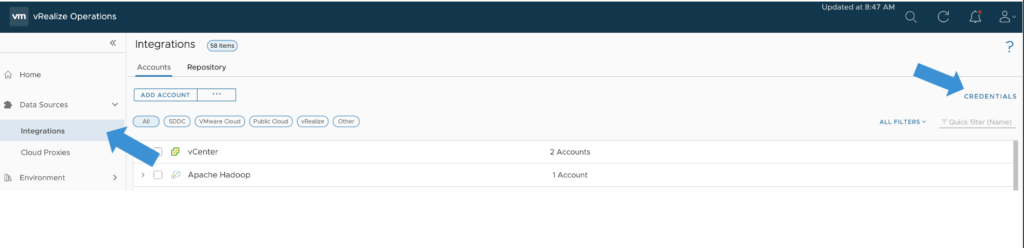
In this guide we will go over Creating a Credential for MongoDB in vROPS for the True Visibility Management pack. The original documentation was posted here however it hasn’t yet been updated to vROPS 8.6 and the new vROPS cloud. Procedure From the Left navigation bar, select Data Sources -> Integrations -> Credentials Click the Add button on the top left. In the Manage Credential window that appears, select whether or not authentication is required for your MongoDB environment, then enter the information indicated below: ...

November 11, 2021 · 1 min · Cosmin