Article cover image

Upgrading Aria Operations to 8.17.1 via Aria Suite Lifecycle

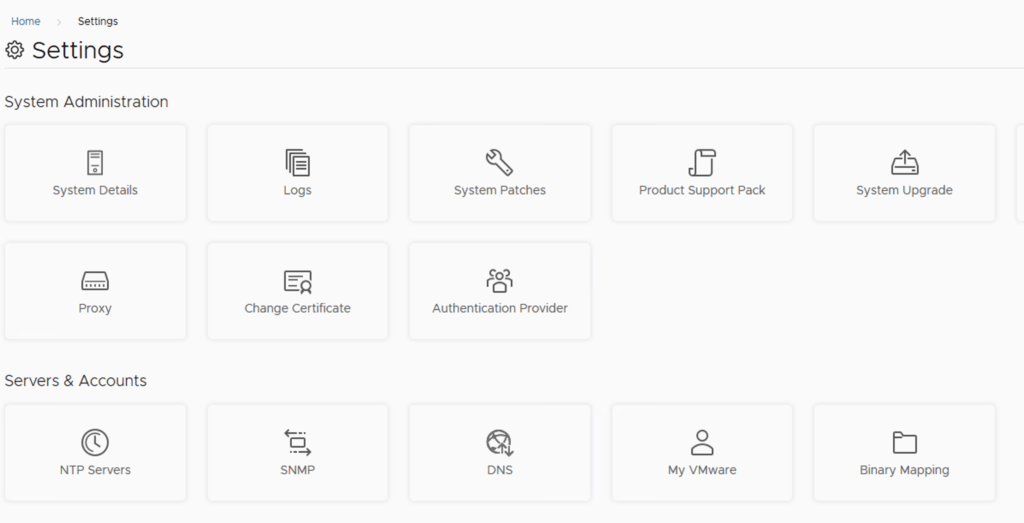
In this post i will go over upgrading my 8.x Aria Operations appliance to 8.17.1 using Aria Suite Lifecycle. As a pre requirement we do need to have Aria Suite Lifecycle upgraded to 8.16. Instructions can be found here. The upgrade does not include the latest Product Support Pack. We can apply the latest Product Support Pack following the instructions here. To get started we can go to Aria Suite Lifecycle -> Lifecycle Operations -> Settings -> Binary Mapping. (If you haven’t added your My VMware credentials you will need to do that first by going to Aria Suite Lifecycle -> Lifecycle Operations -> Settings -> My VMware) ...

June 19, 2024 · 3 min · Cosmin

Creating a Custom Role in vCenter for Aria Operations Actions

Introduction Monitoring your VMware infrastructure effectively is crucial for maintaining system health and performance. VMware’s Aria Operations (formerly vRealize Operations) provides comprehensive monitoring capabilities, but it requires specific permissions to function optimally. In this blog post, we’ll walk through the steps to create a custom role in vCenter specifically for the Aria Operations service account, ensuring it has the necessary permissions to monitor and take actions in your infrastructure. Prerequisites Before we begin, ensure you have the following: ...

May 13, 2024 · 3 min · Cosmin

Creating a Custom Role in vCenter for Aria Operations Monitoring

Introduction Monitoring your VMware infrastructure effectively is crucial for maintaining system health and performance. VMware’s Aria Operations (formerly vRealize Operations) provides comprehensive monitoring capabilities, but it requires specific permissions to function optimally. In this blog post, we’ll walk through the steps to create a custom role in vCenter specifically for the Aria Operations service account, ensuring it has the necessary permissions to monitor your infrastructure. Prerequisites Before we begin, ensure you have the following: ...

May 13, 2024 · 3 min · Cosmin

Navigating Alerts, Symptoms, and Notifications in VMware Aria Operations

In the realm of IT infrastructure management, staying ahead of potential issues and ensuring optimal performance are paramount. VMware Aria Operations, formerly known as vRealize Operations (vROps), provides a comprehensive solution for monitoring, troubleshooting, and optimizing virtual environments. A critical feature of Aria Operations is its alerting system, which uses symptoms to detect issues and then notifies administrators through various channels. This blog explores the intricacies of alerts, symptoms, and notifications within VMware Aria Operations, offering a guide to effectively utilizing these features for maintaining a healthy IT environment. ...

February 6, 2024 · 3 min · Cosmin
Article cover image

Upgrading VMware Aria Operations to 8.14 via VMware Aria Suite Lifecycle

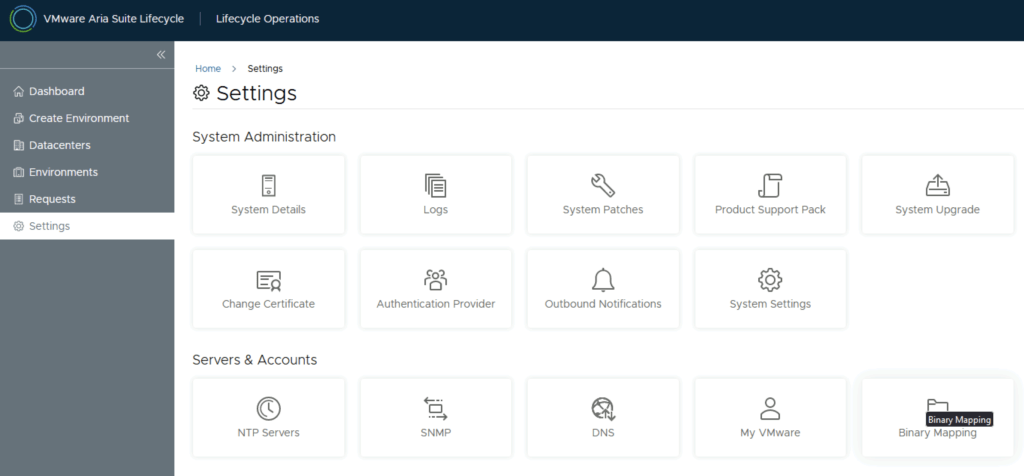
In this post i will go over upgrading my 8.x vROPS appliance to 8.14 using VMware Aria Suite Lifecycle. As a pre requirement we do need to have vRSLCM (vRealize Lifecycle Manager) upgraded to 8.14 Instructions can be found here. The upgrade already includes the latest Product Support Pack so an update to the Product Support Pack is not required. To get started we can go to VMware Aria Suite Lifecycle -> Lifecycle Operations -> Settings -> Binary Mapping. (If you haven’t added your My VMware credentials you will need to do that first by going to VMware Aria Suite Lifecycle -> Lifecycle Operations -> Settings -> My VMware) ...

October 25, 2023 · 3 min · Cosmin

VMware Aria Operations Compliance Pack for HIPAA

I was trying to find some documentation around the metrics monitored by the VMware Aria Operations Compliance Pack for HIPAA. Since VMware is now including the management pack as a native solution as of vRealize Operations 8.1 I wasn’t able to find allot of documentation around it so I exported the symptoms monitored. Here is a list of the symptoms from version 8.10 HIPAA 164.312(c)(1) - Integrity - NTP time synchronization service is not configured on the host HIPAA 164.312(a)(1) - Access Control - Count of maximum failed login attempts is nto set HIPAA 164.312(c)(1) - Integrity - launchmenu feature is enabled HIPAA 164.312(c)(1) - Integrity - Unity taskbar feature is enabled HIPAA 164.312(c)(1) - Integrity - Shellaction is enabled HIPAA 164.312(c)(1) - Integrity - Independent nonpersistent disks are being used HIPAA 164.312(a)(1) - Access Control - Default setting for intra-VM TPS is incorrect HIPAA 164.312(c)(1) - Integrity - NTP Server is not configured to startup with the host HIPAA 164.312(a)(1) - Access Control - Dvfilter network APIs is nto configured to prevent unintended use HIPAA 164.312(a)(1) - Access Control - HGFS file transfers are enabled HIPAA 164.312(b) - Audit Control - Persistent logging is not configured for ESXi host HIPAA 164.312(c)(1) - Integrity - Toprequest feature is enabled HIPAA 164.312(b) - Audit Control - Remote logging for ESXi hosts is not configured HIPAA 164.312(c)(1) - Integrity - PCI pass through device is configured on the virtual machine HIPAA 164.312(c)(1) - Integrity - Bios Boot Specification feature is enabled HIPAA 164.312(a)(1) - Access Control - Timeout to automatically terminate idle sessions is not configured HIPAA 164.312(a)(1) - Access Control - Access to VM console is not controlled via VNC protocol HIPAA 164.312(a)(1) - Access Control - VIX messages are enabled on the VM HIPAA 164.312(c)(1) - Integrity - Protocolhandler feature is enabled HIPAA 164.312(a)(1) - Access Control - Copy/paste operations are enabled HIPAA 164.312(c)(1) - Integrity - Tray icon feature is enabled HIPAA 164.312(a)(1) - Access Control - GUI Copy/paste operations are enabled HIPAA 164.312(c)(1) - Integrity - version get feature is enabled HIPAA 164.312(c)(1) - Integrity - Informational messages from the VM to the VMX file are not limited HIPAA 164.312(a)(1) - Access Control - Timeout value for DCUI is not configured HIPAA 164.312(a)(1) - Access Control - Guests can recieve host information HIPAA 164.312(c)(1) - Integrity - Users and processes without privileges can remove, connect and modify devices HIPAA 164.312(c)(1) - Integrity - NTP time synchronization server is not configured HIPAA 164.312(c)(1) - Integrity - Unity active feature is enabled HIPAA 164.312(c)(1) - Integrity - Autologon feature is enabled HIPAA 164.312(a)(1) - Access Control - drag-n-drop - Copy/paste operations are enabled HIPAA 164.312(c)(1) - Integrity - Intra VM Transparent Page Sharing is Enabled HIPAA 164.312(c)(1) - Integrity - GetCreds feature is enabled HIPAA 164.312(a)(1) - Access Control - Time after which a locked account is automatically unlocked is not configured HIPAA 164.312(c)(1) - Integrity - Versionset feature is enabled HIPAA 164.312(a)(1) - Access Control - Auto install of tools is enabled HIPAA 164.312(a)(1) - Access Control - Access to DCUI is not set to allow trusted users to override lockdown mode HIPAA 164.312(a)(1) - Access Control - Access to VMs are not controlled through dvfilter network APIs HIPAA 164.312(a)(1) - Access Control - Copy/paste operations are enabled HIPAA 164.312(a)(1) - Access Control - Managed Object Browser (MOB) is enabled HIPAA 164.312(c)(1) - Integrity - Trash folder state is enabled HIPAA 164.312(c)(1) - Integrity - Unity feature is enabled HIPAA 164.312(a)(1) - Access Control - Timeout is not set for the ESXi Shell and SSH services HIPAA 164.312(c)(1) - Integrity - Image Profile and VIB Acceptance Levels are not configured to desired level HIPAA 164.312(c)(1) - Integrity - Firewall is not configured for NTP service HIPAA 164.312(c)(1) - Integrity - Unity push feature is enabled HIPAA 164.312(c)(1) - Integrity - Users and processes without privileges can connect devices HIPAA 164.312(c)(1) - Integrity - Memsfss feature is enabled HIPAA 164.312(c)(1) - Integrity - Unity Interlock is enabled HIPAA 164.312(c)(1) - Integrity - Unity window contents is enabled HIPAA 164.312(e)(1) - Transmission Security - NFC on the vCenter is not configured for SSL HIPAA 164.312(e)(1) - Transmission Security - Restrict port-level configuration overrides on VDS HIPAA 164.312(c)(1) - Integrity - Virtual disk shrinking wiper is enabled HIPAA 164.312(c)(1) - Integrity - Virtual disk shrinking is enabled HIPAA 164.312(e)(1) - Transmission Security - The Forged Transmits policy is not set to reject HIPAA 164.312(e)(1) - Transmission Security - MAC Address Changes policy is set to reject HIPAA 164.312(e)(1) - Transmission Security - SNMP Server is running on the host HIPAA 164.312(e)(1) - Transmission Security - The Promiscuous Mode policy is not set to reject HIPAA 164.312(d) - Person or Entity Authentication - Active directory is not used for local user authentication HIPAA 164.312(e)(1) - Transmission Security - Host firewall is not configured to restrict access HIPAA 164.312(e)(1) - Transmission Security - BPDU filter is not enabled on the host HIPAA 164.312(e)(1) - Transmission Security - The MAC Address Changes policy is not set to reject HIPAA 164.312(d) - Person or Entity Authentication - Password policy for password complexity is not set HIPAA 164.312(e)(1) - Transmission Security - VDS network healthcheck for Teaming Health Check is enabled HIPAA 164.312(d) - Person or Entity Authentication - Bidirection CHAP auhtentication is not enabled HIPAA 164.312(e)(1) - Transmission Security - Forged Transmits policy is set to reject HIPAA 164.312(e)(1) - Transmission Security - Promiscuous Mode policy is configured to reject

March 30, 2023 · 5 min · Cosmin

Comparing vROps Workload Optimizations with CWOM

VMware vRealize Operations (vROps) is not the only tool available for managing the performance and capacity of virtual environments. Another solution that has gained popularity in recent years is the Cloud Workload Optimization Manager (CWOM). In this blog, we will compare vROps workload optimizations with CWOM to help organizations determine which solution is best suited for their needs. Functionality vROps provides a comprehensive set of features for managing the performance and capacity of virtual environments. It includes advanced performance analytics, customized workload optimizations, improved visibility, and cost savings. On the other hand, CWOM is a more specialized tool that focuses on optimizing resource utilization for cloud workloads. While CWOM has some similar features to vROps, it lacks the depth of functionality provided by vROps. Scalability vROps is designed to manage large, complex virtual environments and is highly scalable. It can support multiple vCenter servers, hundreds of thousands of virtual machines, and provide real-time performance data. CWOM, on the other hand, is designed for smaller cloud environments and may not be suitable for organizations with large virtual environments. Integration vROps integrates seamlessly with other VMware products and solutions, such as vCenter and NSX, to provide a unified view of the virtual environment. CWOM, on the other hand, is designed to work with specific cloud platforms and may not provide the same level of integration as vROps. Cost vROps is a premium solution that is typically more expensive than CWOM. However, the comprehensive set of features provided by vROps and its ability to manage large, complex virtual environments can make it a more cost-effective solution in the long run. In conclusion, vROps workload optimizations provide a comprehensive solution for managing virtual environments, while CWOM is a specialized tool for optimizing resource utilization for cloud workloads. Organizations should consider their specific needs, the size and complexity of their virtual environment, and their budget when deciding between vROps and CWOM. ...
February 7, 2023 · 2 min · Cosmin

Benefits of Using vROps Workload Optimizations Over Regular DRS

VMware vRealize Operations (vROps) is a comprehensive solution for managing the performance and capacity of virtual environments. It offers several workload optimizations to help administrators balance resource utilization, meet SLAs, and ensure optimal performance. These optimizations go beyond what is possible with traditional Distributed Resource Scheduler (DRS) and can provide numerous benefits to organizations. In this blog, we will explore some of the advantages of using vROps workload optimizations over regular DRS. ...

February 7, 2023 · 2 min · Cosmin

Why Choose vRealize Automation (vRA) over Ansible

Ansible and vRealize Automation (vRA) are both popular DevOps tools for infrastructure automation and provisioning. However, the two tools have different strengths and use cases, and choosing the right one for your organization can be a challenge. In this blog post, we’ll explore the key differences between vRA and Ansible and why you might choose vRA over Ansible. Complexity of Deployment Ansible is a simple, agentless tool that is easy to install and configure. However, as the complexity of your deployment increases, the simplicity of Ansible can quickly become a hindrance. vRA, on the other hand, is a complex tool that is designed to handle complex deployments, making it an ideal choice for large, complex environments. ...

February 1, 2023 · 2 min · Cosmin

vROPs tagging and workload optimization

Optimizing workloads in a custom datacenter with multiple clusters is a challenging task that requires a comprehensive understanding of the underlying infrastructure and the applications running on it. One of the key components of this optimization process is proper tagging using vRealize Operations Manager (vROPs). Tagging in vROPs is a process of assigning metadata to objects such as virtual machines, hosts, and clusters. This metadata provides context to the objects and helps to categorize them based on their characteristics, making it easier to manage and monitor the infrastructure. ...

January 30, 2023 · 2 min · Cosmin