Using 90 Days of Usage for Rightsizing Recommendations in VCF Operations 9

In a previous post I walked through configuring VCF Operations 9 capacity policies to align with a 90-day planning window. If you followed that guide, the good news is that rightsizing recommendations share the same underlying policy — Risk Level, Time Remaining thresholds, and buffers all feed directly into the rightsizing engine. So why a separate post? Because rightsizing is a different workflow with its own nuances. Capacity planning asks “when will my clusters run out of room?” Rightsizing asks “are my individual VMs sized correctly for what they actually use?” The policy is the same foundation, but how you consume and act on the results is completely different. ...
March 30, 2026 · 7 min · Cosmin

Configuring VCF Operations 9 Capacity Calculations to Consider 90 Days of Usage

As a solutions architect managing a VCF 9 Operations instance, one of the first things I tune after initial deployment is the capacity engine. Out of the box, VCF Operations uses an exponential decay model that heavily weights the most recent data points. That is great for catching sudden spikes, but it can misrepresent your true capacity posture if your environment has cyclical workloads — think month-end batch jobs, quarterly reporting bursts, or seasonal traffic patterns. ...

March 30, 2026 · 7 min · Cosmin
Article cover image

Bulk Delete Alerts in VCF Operations (formerly know as Aria Operations)

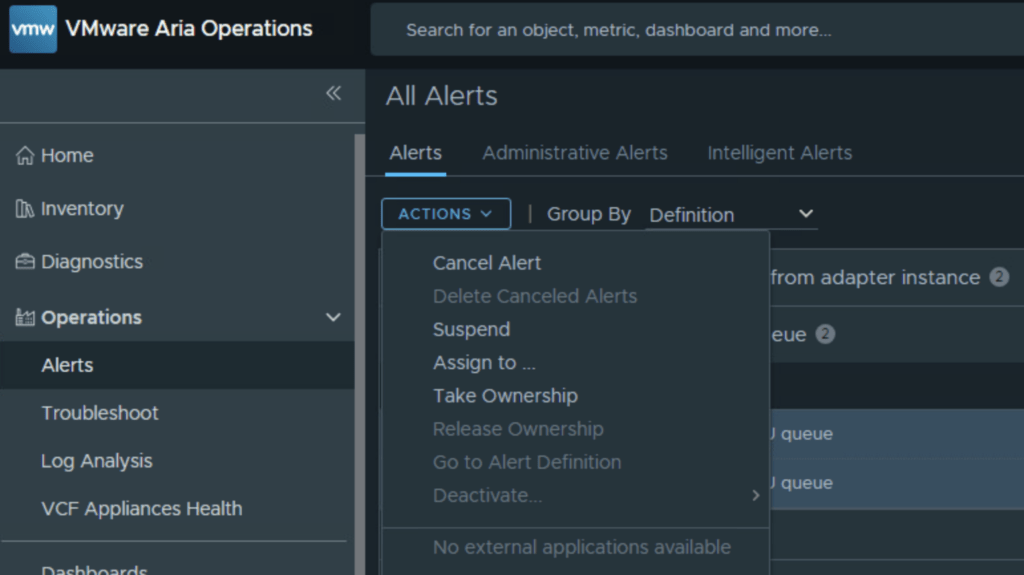
If you manage a VMware Aria Operations (formerly vROps) environment, you know how quickly alert fatigue can set in. In this guide i will focus specifically on the “Guest OS Experiencing CPU queue” alert. While helpful in identifying CPU-constrained VMs, it can quickly generate thousands of entries if you have a heavily over provisioned environment. Inspired by Brock Peterson’s excellent guide on Alert Hygiene, we are going to look at exactly how to cancel and delete these specific CPU queue alerts, both via the User Interface and programmatically via the API. ...

March 17, 2026 · 5 min · Cosmin
Article cover image

Troubleshooting notification plugins in VCF Operations

In the world of modern infrastructure operations, observability is only as good as the actions it drives. Integrating VMware Cloud Foundation (VCF) Operations (formerly Aria Operations) with ITSM platforms like ServiceNow is a critical step for many of my clients. It transforms passive monitoring into active incident management. However, as with any integration involving webhooks and external APIs, things don’t always go according to plan. Recently, while implementing a ServiceNow integration following standard deployment guides (kudos to Brock Peterson for his excellent documentation on ServiceNow Management Packs and Webhooks), I hit a roadblock. My instance was failing to send notifications, and the standard UI errors were vague. ...

November 26, 2025 · 4 min · Cosmin
Article cover image

Suppress ESXi Host Alerts in VCF Operations 9 When a Host Enters Maintenance Mode

When a vSphere admin places an ESXi host in vCenter maintenance mode, VCF Operations should automatically suppress host alerts for that object, without pausing metric collection, and then restore alerting when maintenance ends. Why this approach? In VCF 9, you can avoid alert noise during maintenance in two ways: Maintenance Schedules – pause both collection and alerts during a defined window (best for planned maintenance). Policy-based alert suppression (this post) – keep metrics flowing but disable host alert definitions while the host is in maintenance. This is done with a policy attached to a dynamic custom group keyed to the host’s Maintenance Mode property. Note on naming: In VCF 9, VCF Operations is the successor to Aria/vRealize Operations and is part of the unified Cloud Foundation experience. If you’re upgrading from Aria Operations, see Broadcom’s “Upgrade to VCF Operations 9.0.” ...

July 30, 2025 · 3 min · Cosmin
Article cover image

Applying VMware Aria Suite Lifecycle Manager 8.18 Patch 2

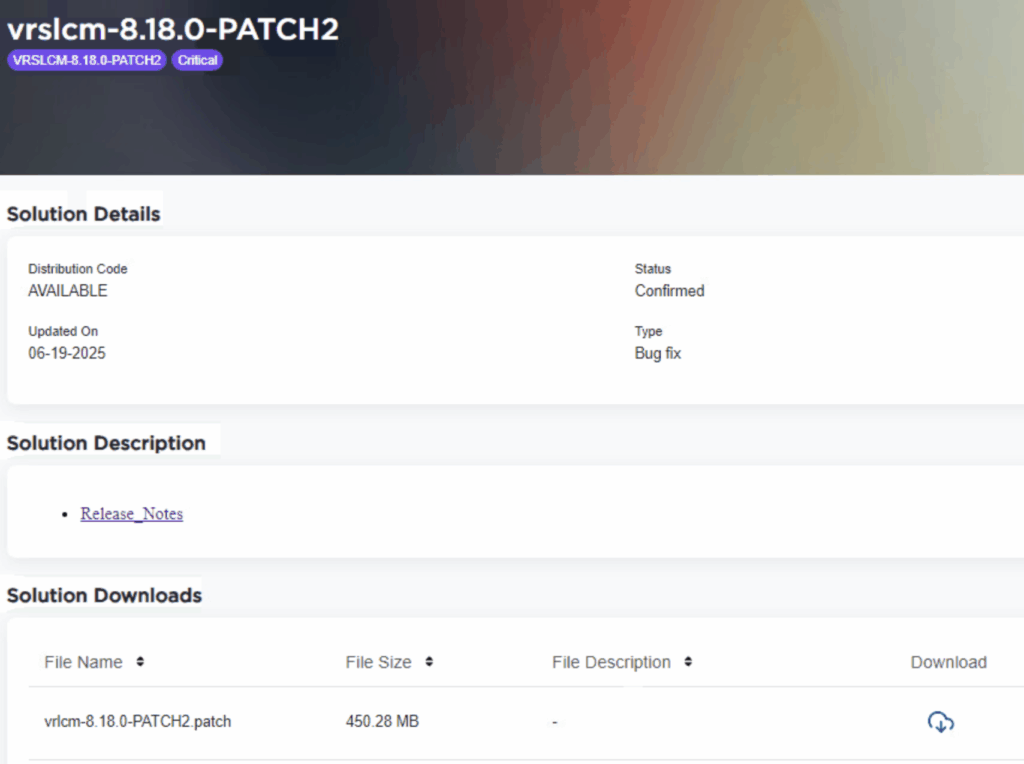
Patch 2 prepares Aria Suite Lifecycle Manager (ASLCM) for VMware Cloud Foundation 9.0 migrations. It does not deliver new features or hot-fixes, so only install it if VCF 9.0 (or the new VCF Operations appliance) is on your near-term roadmap. Why Patch 2 Matters Patch 2 updates the appliance-level services that let ASLCM recognize and orchestrate VCF 9.0 components (for example, Aria Operations 9.0). Without it, the 8.18 lifecycle UI cannot import or upgrade those binaries. If you are staying on VCF 5.x/8.x for a while, you can safely defer this patch. ...

June 20, 2025 · 3 min · Cosmin

Error LCMVRNICONFIG90115 in VMware Aria Suite Lifecycle Manager

If you’re a system administrator or IT professional working with VMware Aria Suite Lifecycle Manager, you might have hit a roadblock when trying to import a VMware Aria Operations for Networks instance. The error in question? LCMVRNICONFIG90115. Here’s what it looks like: Error Code: LCMVRNICONFIG90115 Invalid credentials provided for Console user. Please retry with correct console password. Invalid credentials provided for Console user. Please retry with correct console password. On the surface, this error screams “wrong password!” But even if you’re certain the credentials are spot-on, the issue might persist. Spoiler alert: the fix lies in enabling FIPS mode on the Aria Suite Lifecycle appliance. In this blog post, I’ll break down why this error happens, how FIPS mode resolves it, and provide a step-by-step guide to get you back on track. ...

February 27, 2025 · 4 min · Cosmin
Article cover image

Upgrading Aria Operations to 8.18.2 Using a .PAK File

Upgrading Aria Operations (formerly VMware vRealize Operations) is a crucial task to ensure you’re using the latest features, security patches, and performance improvements. In this guide, we’ll walk through the step-by-step process of upgrading Aria Operations using a .pak file. Prerequisites Before starting the upgrade, ensure the following prerequisites are met: Backup the Existing Deployment: • Take a snapshot of all nodes in the Aria Operations (Master, Cloud proxies, and any other nodes). ...

January 16, 2025 · 3 min · Cosmin
Article cover image

Deploying VMware Aria Operations 8.18 in a VCF 5.2.1 Environment: Step-by-Step Guide

Deploying VMware Aria Operations (formerly vRealize Operations) provides deep monitoring, analytics, and insights into your VMware Cloud Foundation (VCF) 5.2.1 environment. With Aria Lifecycle Manager (ALCM), the deployment and configuration of Aria Operations 8.18 are streamlined, allowing IT teams to maintain optimal performance, predict and prevent potential issues, and optimize resource utilization. This guide will take you through each step, ensuring Aria Operations is seamlessly deployed and integrated within your VCF environment. ...

October 16, 2024 · 3 min · Cosmin
Article cover image

Upgrading Aria Operations to 8.17.2 via Aria Suite Lifecycle

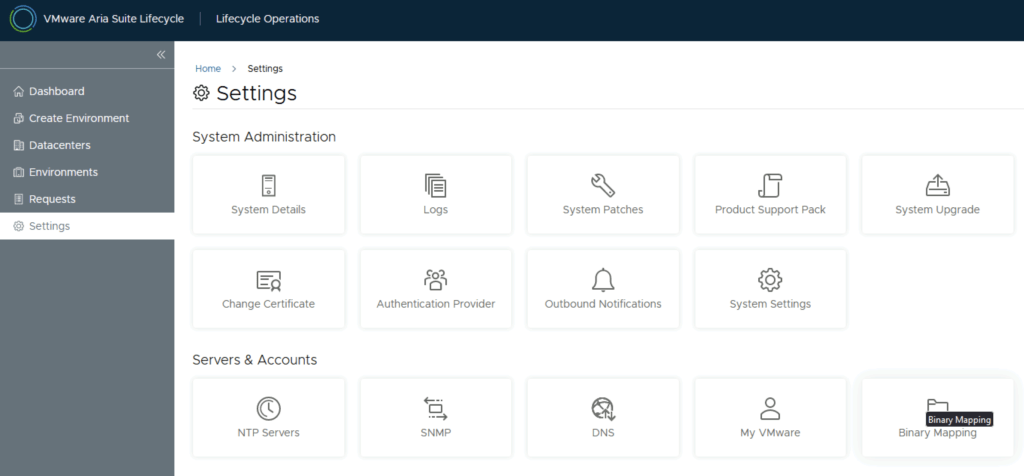
In this post i will go over upgrading my 8.x Aria Operations appliance to 8.17.2 using Aria Suite Lifecycle. As a pre requirement we do need to have Aria Suite Lifecycle upgraded to 8.16. Instructions can be found here. The upgrade does not include the latest Product Support Pack. We can apply the latest Product Support Pack following the instructions here. To get started we can go to Aria Suite Lifecycle -> Lifecycle Operations -> Settings -> Binary Mapping. (If you haven’t added your My VMware credentials you will need to do that first by going to Aria Suite Lifecycle -> Lifecycle Operations -> Settings -> My VMware) ...

June 20, 2024 · 3 min · Cosmin