Article cover image

Upgrading Aria Operations for Logs to 8.18.1 via VMware Aria Suite Lifecycle

In this post, I will guide you through upgrading your 8.x vRLI appliance to Aria Operations for Logs 8.18.1 using VMware Aria Suite Lifecycle. Before proceeding, ensure that your VMware Aria Suite Lifecycle is upgraded to version 8.18. You can find the upgrade instructions here. Note that the upgrade does not include the latest PSPACK containing the 8.18.1 Aria Operations for Logs release. Instructions for obtaining the PSPACK are available in here. ...

January 16, 2025 · 2 min · Cosmin
Article cover image

Aria Suite Lifecycle 8.18 Product Support Pack (PSPACK4) upgrade - manual version

In this guide i will go over the manual steps of getting an existing 8.x Aria Suite Lifecycle appliance to support the latest product releases available. Here is a great blog that goes in to the details about what the Product Support Pack is https://blogs.vmware.com/management/2019/01/vrslcm-pspak.html. Typically the newer Product Support Pack is included part of the upgrade for Aria Suite Lifecycle, however sometimes there are product releases in between releases where product support packs come in handy. As of 8.16.0 Product Support Pack 4 we can no longer automatically download the Product Support Pack files. The release notes can be found here. ...

January 16, 2025 · 2 min · Cosmin
Article cover image

Connecting a VI Workload Domain to VMware Aria Operations for Logs in VMware Cloud Foundation (VCF)

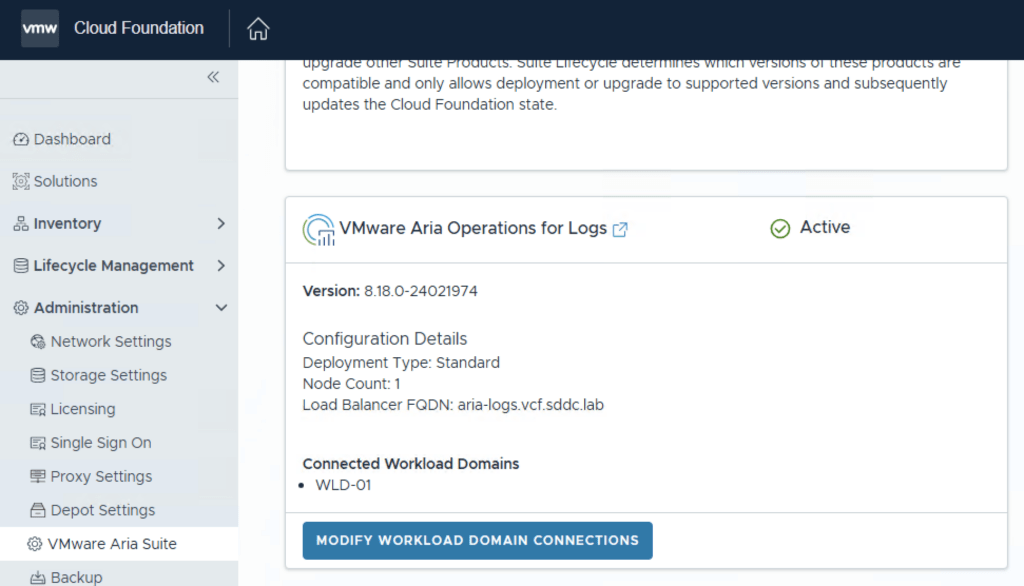
Integrating your VI Workload Domain with VMware Aria Operations for Logs enhances log management and analytics within VMware Cloud Foundation. This guide provides a step-by-step process to establish this connection using the SDDC Manager. Prerequisites: • Administrative Access: Ensure you have admin credentials for SDDC Manager. • Deployed Components: Both VMware Aria Operations for Logs and the VI Workload Domain should be deployed and operational. Steps to Connect: Log into SDDC Manager: • Open your web browser and navigate to https://<sddc_manager_fqdn>. ...

December 7, 2024 · 2 min · Cosmin
Article cover image

Patching\Upgrading ESXi 8 to ESXi8U3b via esxcli

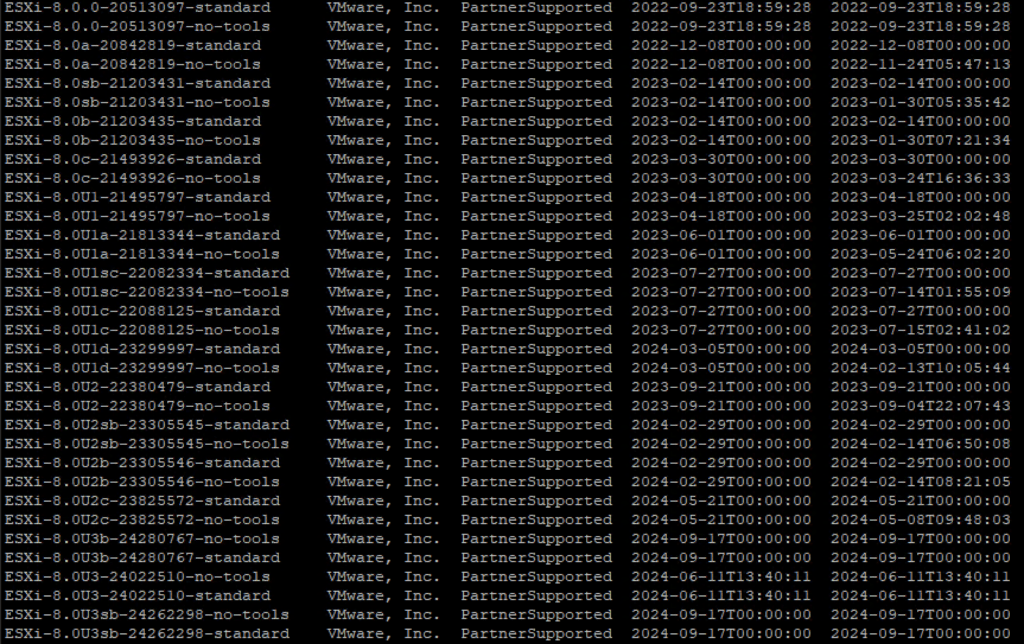
With the latest release of ESXi8U3b i wanted to get my lab up to date. I dont have enough resources in my lab to migrate the vCenter to another ESXi server so i want to perform the upgrade via cli. More details about the release can found here The first step was to open the firewall for outgoing traffic for http esxcli network firewall ruleset set -e true -r httpClient Second step was to list the updates by executing ...

November 9, 2024 · 1 min · Cosmin
Article cover image

Deploying VMware Aria Operations for Logs in a VCF 5.2.1 Environment: Step-by-Step Guide

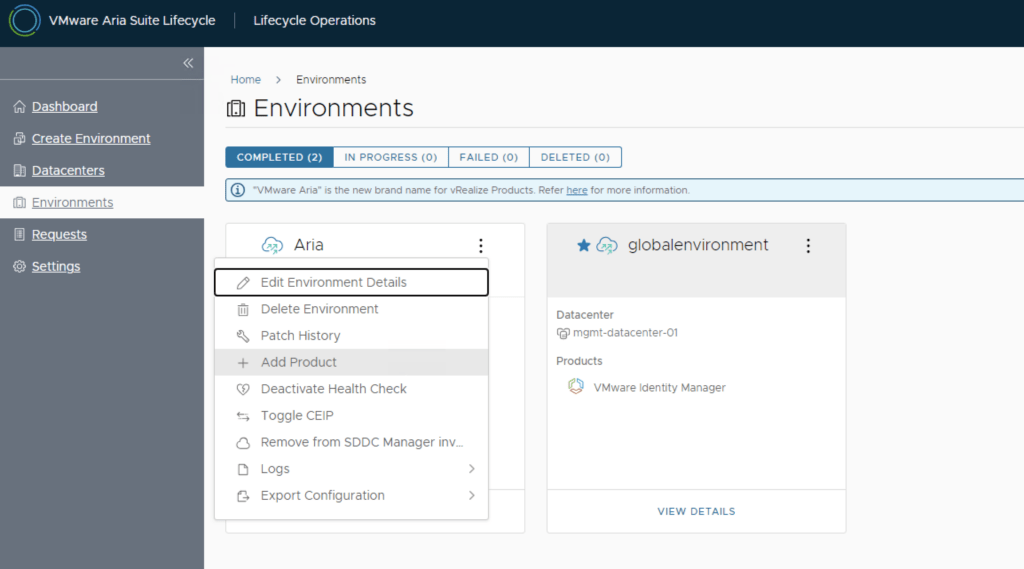
In a VMware Cloud Foundation (VCF) environment, managing logs effectively is crucial for monitoring, troubleshooting, and ensuring compliance. VMware Aria Operations for Logs (formerly vRealize Log Insight) provides centralized log collection, real-time analytics, and intelligent log correlation, making it an essential tool for proactive infrastructure management. This guide walks you through the step-by-step process of deploying VMware Aria Operations for Logs in a VCF 5.2.1 environment. Prerequisites VMware Cloud Foundation (VCF) 5.2.1: Confirm that your VCF environment is operational. Aria Lifecycle Manager (ALCM): Aria Lifecycle Manager 8.18 or compatible version installed and accessible. Network and DNS Configurations: Proper DNS and network settings to allow seamless communication among VMware components. VMware Identity Manager (vIDM): Configured and deployed for unified authentication across VMware products. If needed a guide can be found here. Step 1: Access Aria Lifecycle Manager Log in to the Aria Lifecycle Manager (ALCM) console with admin credentials. Ensure compatibility between ALCM and VCF 5.2.1 for a smooth deployment. Step 2: Add product in existing environment. Navigate to Lifecycle Operations. Under the existing environment click on the ellipsis. Click Add Product. ...

October 18, 2024 · 4 min · Cosmin
Article cover image

Deploying VMware Aria Automation in a VCF 5.2.1 Environment: Step-by-Step Guide

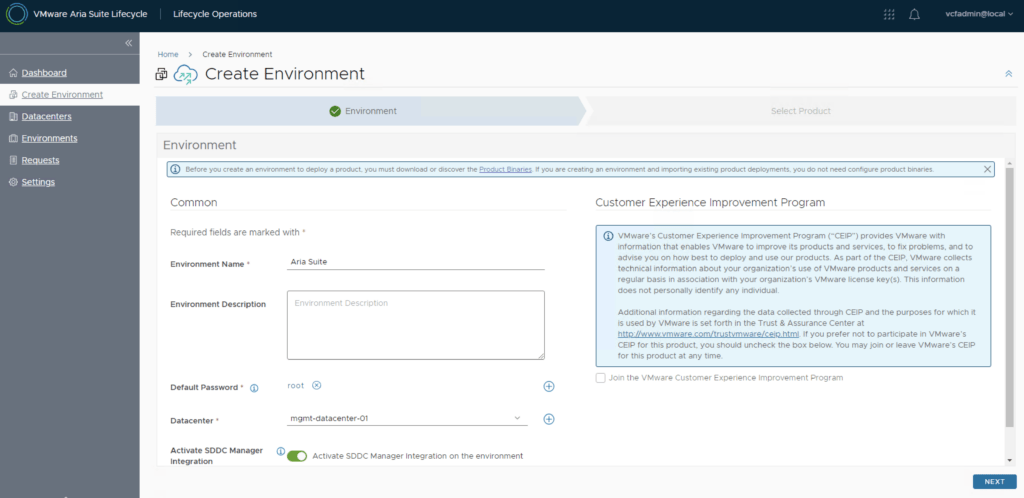
Following the deployment of vIDM which can be found here, deploying VMware Aria Automation (formerly known as vRealize Automation) enhances your VCF environment with powerful self-service provisioning, automated operations, and streamlined infrastructure management. This step-by-step guide will walk you through deploying Aria Automation using VMware Aria Lifecycle Manager in a VCF 5.2.1 environment, integrating it seamlessly with vIDM for Single Sign-On (SSO) and access management. Prerequisites VMware Cloud Foundation (VCF) 5.2.1 Environment: Ensure VCF 5.2.1 is fully set up and operational. Aria Lifecycle Manager (ALCM) Appliance: Make sure Aria Lifecycle Manager is installed and accessible. Identity Management (vIDM): Deployed and configured to allow SSO across VMware products. DNS and Network Configurations: Validated for reachability and FQDN resolution. Step 1: Access Aria Lifecycle Manager Log in to the Aria Lifecycle Manager (ALCM) console with admin credentials. Ensure your ALCM version aligns with VCF 5.2.1, ensuring compatibility. Step 2: Add an Environment in ALCM In ALCM, navigate to Environments and Add New Environment. Input environment details, such as name and description, to organize deployments within the ALCM. Select a Datacenter for the deployment. Click Next. ...
October 18, 2024 · 3 min · Cosmin
Article cover image

Deploying VMware Aria Operations 8.18 in a VCF 5.2.1 Environment: Step-by-Step Guide

Deploying VMware Aria Operations (formerly vRealize Operations) provides deep monitoring, analytics, and insights into your VMware Cloud Foundation (VCF) 5.2.1 environment. With Aria Lifecycle Manager (ALCM), the deployment and configuration of Aria Operations 8.18 are streamlined, allowing IT teams to maintain optimal performance, predict and prevent potential issues, and optimize resource utilization. This guide will take you through each step, ensuring Aria Operations is seamlessly deployed and integrated within your VCF environment. ...

October 16, 2024 · 3 min · Cosmin
Article cover image

Deploying vIDM Using Aria Lifecycle Manager in a VCF 5.2.1 Environment: Step-by-Step Guide

Deploying VMware Identity Manager (vIDM) in a VMware Cloud Foundation (VCF) 5.2.1 environment has been simplified with VMware Aria Lifecycle Manager. This guide walks you through setting up vIDM using Aria Suite Lifecycle Manager, ensuring streamlined access control across the VMware suite in your VCF deployment. The official documentation can be found here. Let’s dive in. Prerequisites VCF 5.2.1 Environment: Ensure your VCF environment is running version 5.2.1. A upgrade Guide can be found here. Aria Suite Lifecycle Manager Appliance: Aria Lifecycle Manager must be configured within the VCF environment. A deployment guide can be found here. Network and DNS: Verify that DNS and network configurations are set up for Aria Lifecycle Manager and the vIDM instance. Download VMware Aria product binaries from the Broadcom Support Portal. After downloading, you can either map them locally or use NFS to make them available. Access Aria Lifecycle Manager Log in to the Aria Lifecycle Manager UI. Use the administrator credentials configured during the initial setup (typically vcfadmin@local). Ensure that the Aria Suite Lifecycle Manager version is compatible with VCF 5.2.1 to avoid compatibility issues. ...

October 15, 2024 · 3 min · Cosmin
Article cover image

Aria Suite Lifecycle 8.18 Product Support Pack (PSPACK) upgrade - manual version

In this guide i will go over the manual steps of getting an existing 8.x Aria Suite Lifecycle appliance to support the latest product releases available. Here is a great blog that goes in to the details about what the Product Support Pack is https://blogs.vmware.com/management/2019/01/vrslcm-pspak.html. Typically the newer Product Support Pack is included part of the upgrade for Aria Suite Lifecycle, however sometimes there are product releases in between releases where product support packs come in handy. As of 8.16.0 Product Support Pack 4 we can no longer automatically download the Product Support Pack files. The release notes can be found here. ...

October 15, 2024 · 2 min · Cosmin
Article cover image

Deploying the VMware Aria Suite Lifecycle 8.18 using VCF 5.2.1

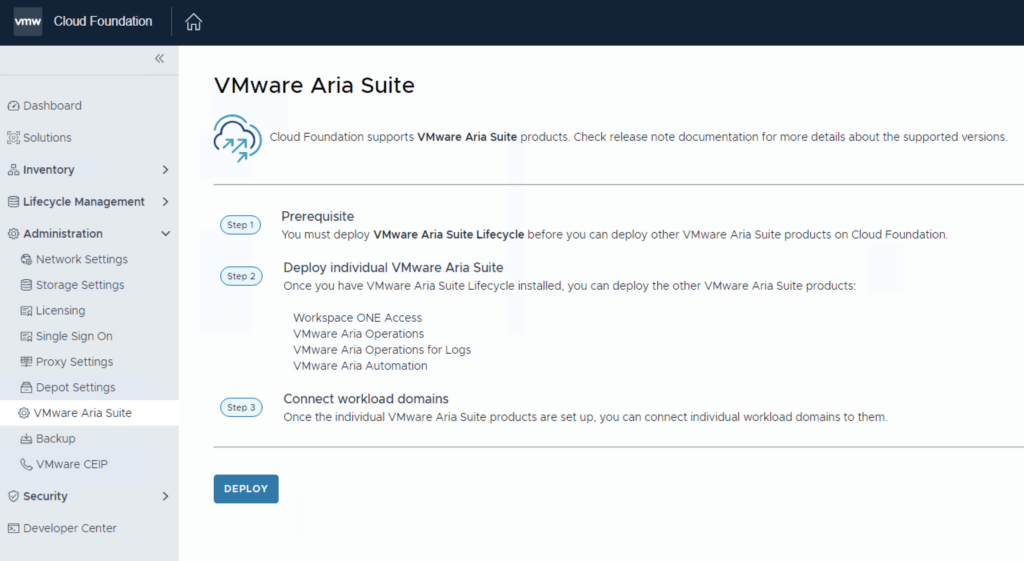
The official documentation for deploying the Aria Suite can be found here First step is to download the bundle by going to sddc-manager -> Repository -> Bundle management. Look for VMware Software Install Bundle - vRealize Suite Lifecycle Manager 8.18.0-24029603 After the download is complete we can go to Administration -> VMware Aria Suite and a Deploy button should be available. If the deploy button is not available due to X-Region Application Virtual Network is not created errorplease follow the instructions found here: ...

October 15, 2024 · 2 min · Cosmin
VCF Assistant
Hi! I'm the VCF Assistant. Ask me anything about VMware Cloud Foundation, ESXi, vCenter, NSX, Aria Suite, or infrastructure automation.