Article cover image

Properly cleaning up VCF downloads\bundles

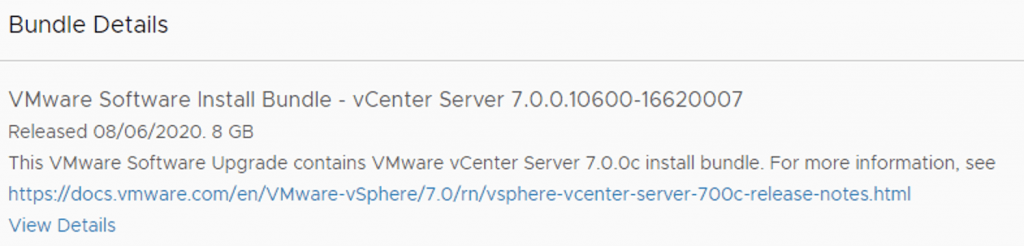
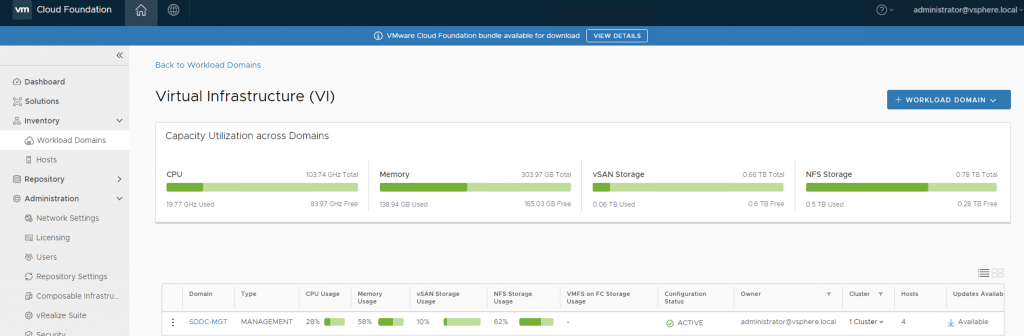
With all the recent releases for VCF i noticed that my file system was getting full and once the updates are complete i wanted to reclaim all that used space. The first step was to identify the Bundle ID. We can find this by going to the bundle itself and checking out the details by clicking on View Details For example this specific Bundle ID is ee194251-9fe4-4729-9c29-ca5172acffc6 At this point i had to log in to the sddc manager and issue the following command: ...
August 31, 2020 · 1 min · Cosmin
Article cover image

Upgrading VCF 4.0.1 to 4.0.1.1

This VMware Cloud Foundation Upgrade 4.0.1.0 to 4.0.1.1 contains critical bugs and security fixes. For more information, see https://docs.vmware.com/en/VMware-Cloud-Foundation/4.0.1/rn/VMware-Cloud-Foundation-401-Release-Notes.html#4.0.1.1-Release For VCF on VxRail see https://docs.vmware.com/en/VMware-Cloud-Foundation/4.0.1/rn/vmware-cloud-foundation-on-dell-emc-vxrail-19-release-notes.html#Patch%20Releases If you dont see any updates you can follow the first couple of steps in my other post here: http://13.90.130.7/2020/07/16/upgrading-vcf-4-0-to-vcf-4-0-1/ Once i logged on to my SDDC Manager i was able to see that na update is already available for me to download: All i had to do was click on my management domain SDDC-MGT and then go to the Update\Patches tab ...

August 30, 2020 · 2 min · Cosmin

vCenter update from the command line

Ive ran recently in to an issue where i couldnt perform an update from the admin UI, in order to get up and running i executed the following from a ssh shell. I was luky enough to find the documentation here /usr/lib/applmgmt/support/scripts/software-packages.py install --url Some of the additional options that could be used software-packages stage --url software-packages install --staged I like to perform the update from the command line because it gives me additional information that i might not be able to see in the UI ...

August 30, 2020 · 1 min · Cosmin
Article cover image

vCenter Appliance Update installation is in progress

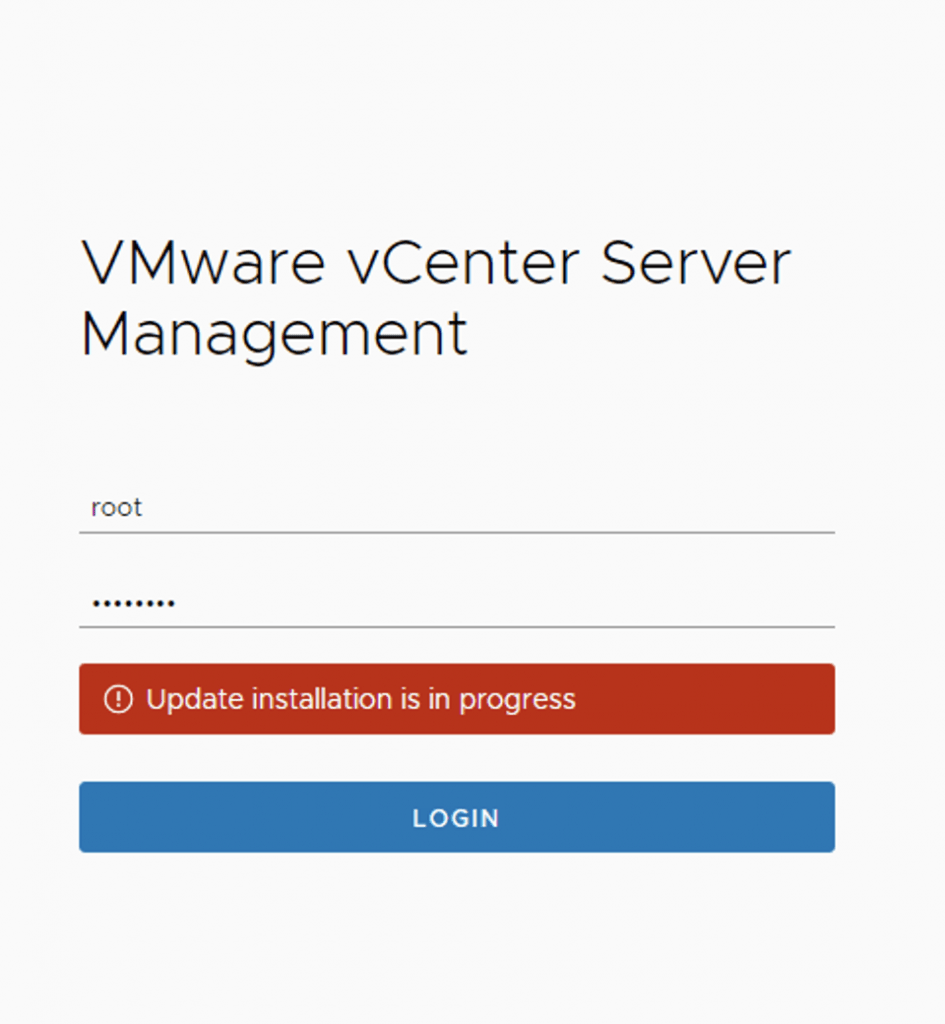
I recently ran in to an issue where the vCenter server appliance update timed out. Rebooting the vCenter server brought the server back up but i was unable to log in to the administration section due to an Update installation in progress error Doing some research i found that there is a file that holds this information fount at /etc/applmgmt/appliance/software_update_state.conf At this point all i had to do was edit the file using vi ...

August 30, 2020 · 1 min · Cosmin

Upgrading ESXi via command line

I recently ran in to a problem where i couldn’t update my esx server from the UI so i wanted to to it from the command line. After doing some research this is the way i was able to do it: Step 1 was to open the firewall by running: esxcli network firewall ruleset set -e true -r httpClient Step 2 was to list the profiles available: esxcli software sources profile list -d https://hostupdate.vmware.com/software/VUM/PRODUCTION/main/vmw-depot-index.xml | grep -i ESXi-7 or if i already have a bundle downloaded available: ...

August 27, 2020 · 1 min · Cosmin
Article cover image

Install/Upgrade ESXi 7.0 on unsupported hardware.

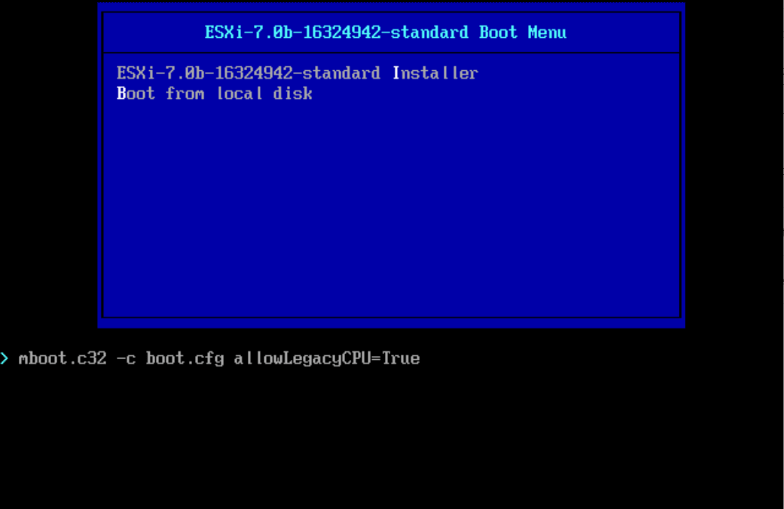
As i was installing\upgrading my lab environment to ESXi 7.0 i received an error that the CPU was unsupported. As per the release notes vSphere 7.0 release notes my CPU is no longer on the compatibility list. Since this is a lab environment i wanted to continue using my current hardware. It goes without saying that this method should not be used in a production environment. To allow the legacy CPU all i had to do is boot up from the ISO, on the boot Menu i pressed TAB or Shift + O and added allowLegacyCPU=True option as seen in the screenshot below ...

August 22, 2020 · 1 min · Cosmin
Article cover image

Change or update vRealize Automation 8 License key

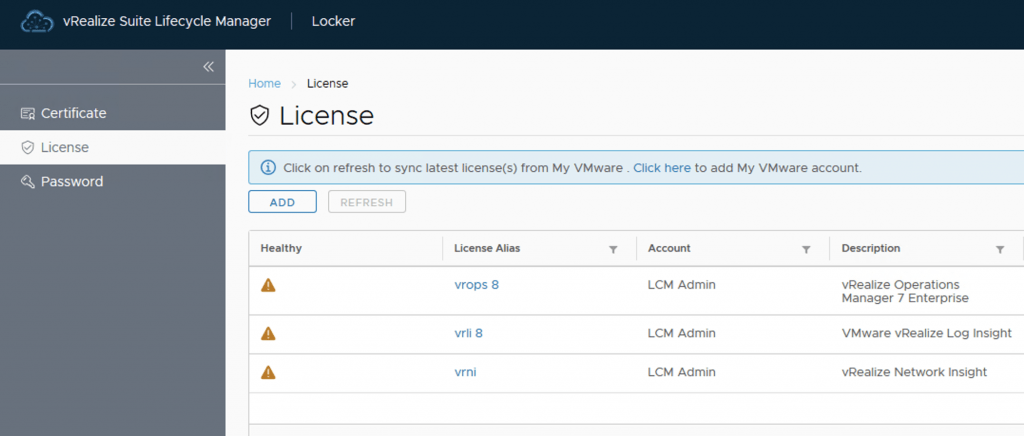
After a recent deployment of VRA 8 with a trial key in my lab i realized that my key was about to expire. It was time to get it changed with my production key. The key can be changed via Lifecycle Manager or via CLI. Changing the vRealize Automation 8 License key via Lifecycle Manager To change the license via lifecycle manager we need to go to Lifeycle Manager -> Locker -> License ...

July 23, 2020 · 2 min · Cosmin
Article cover image

Upgrading VCF 4.0 to VCF 4.0.1

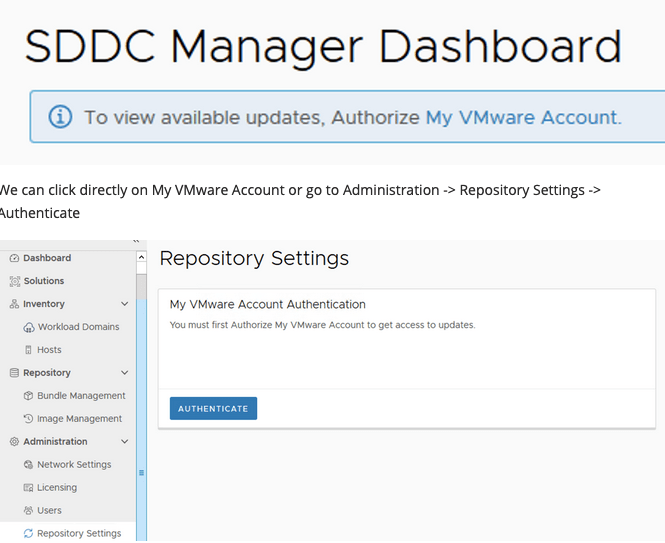
With the release of VCF 4.0.1 i wanted to go through the patch in my lab. The release notes can be found here: https://docs.vmware.com/en/VMware-Cloud-Foundation/4.0.1/rn/VMware-Cloud-Foundation-401-Release-Notes.html When i logged on to my SDDC Manager i noticed that there weren’t any updates available and i was prompted with an information bar To view available updates, Authorize My VMware Account. We can click directly on My VMware Account or go to Administration -> Repository Settings -> Authenticate ...

July 16, 2020 · 4 min · Cosmin
Article cover image

NSX 2.5.0 to NSX 2.5.1 fails with error “restart service install-upgrade” on the NSX Manager.

I`ve recently ran through a problem when trying to upgrade NSX-T from version 2.5.0 to 2.5.1. When using the Upgrade function within the UI i was getting the following error: This page is only available on the NSX Manager where Upgrade Coordinator is running. To configure the service, run the command “restart service install-upgrade” on the NSX Manager. White checking the status of the service the service seemed to be running with no issues. I also checked the release notes for a couple of releases back and i found a similar issue in the release notes for the 2.3 release https://docs.vmware.com/en/VMware-NSX-T-Data-Center/2.3/rn/VMware-NSX-T-Data-Center-23-Release-Notes.html ...

July 16, 2020 · 3 min · Cosmin
VCF Assistant
Hi! I'm the VCF Assistant. Ask me anything about VMware Cloud Foundation, ESXi, vCenter, NSX, Aria Suite, or infrastructure automation.