Article cover image

Upgrading VMware Aria Automation to 8.16.2

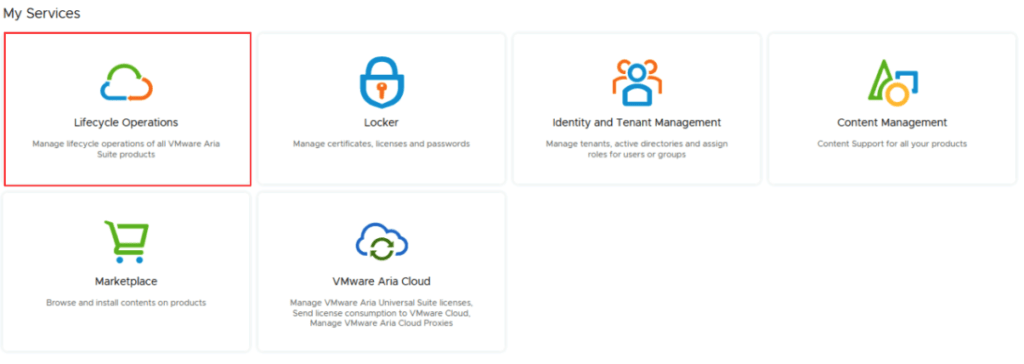
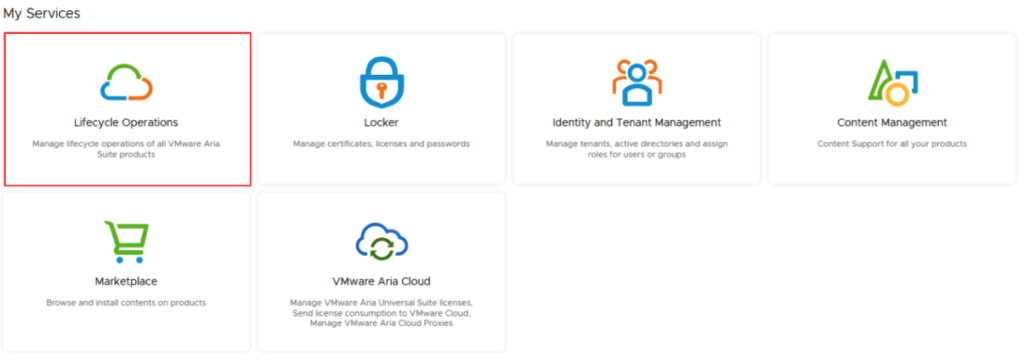
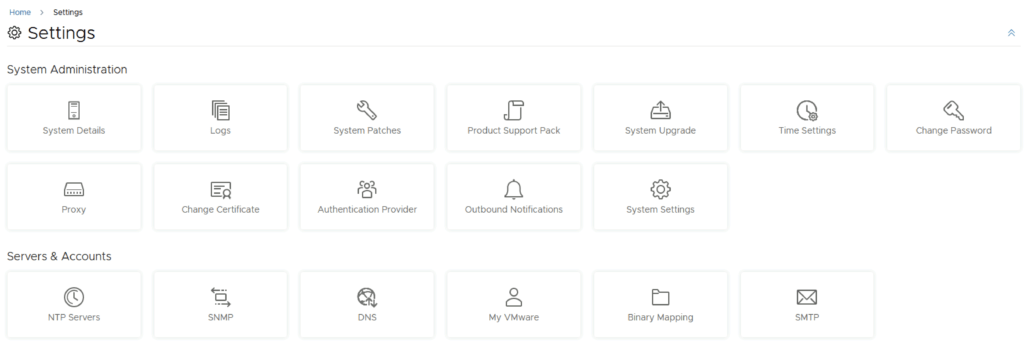
In this post i will go over upgrading my 8.x vRA appliance to 8.16.2. As a pre requirement we do need to have VMware Aria Suite Lifecycle upgraded to 8.16. Instructions can be found here. The upgrade does not include the latest PSPACK that contains the 8.16.2 VMware Aria Automation release. Instructions to get the PSPACK can be found on my other blog post here. To get started we can go to VMware Aria Suite Lifecycle -> Lifecycle Operations -> Settings -> Binary Mapping. (If you haven’t added your My VMware credentials you will need to do that first by going to VMware Aria Suite Lifecycle -> Lifecycle Operations -> Settings -> My VMware) ...

March 22, 2024 · 3 min · Cosmin
Article cover image

VMware Aria Suite Lifecycle Product Support Pack (PSPAK) Upgrade

In this guide i will go over the steps of getting an existing 8.x VMware Aria Suite Lifecycle (formerly vRSLCM vRealize Lifecycle Manager) appliance to support the latest product releases available. Here is a great blog that goes in to the details about what the Product Support Pack is https://blogs.vmware.com/management/2019/01/vrslcm-pspak.html. Typically the newer Product Support Pack is included part of the upgrade for LCM, however sometimes there are product releases in between releases where product support packs come in handy. ...

March 22, 2024 · 2 min · Cosmin

Enhancing vCenter Server Firewall Management with Ansible

In today’s dynamic IT environments, maintaining a secure and efficient infrastructure is paramount. For VMware vSphere administrators, managing the firewall settings on vCenter servers is a critical task that ensures the security of the entire virtualized infrastructure. Ansible, an open-source automation tool, offers a streamlined approach to managing firewall settings across multiple vCenter servers. This blog post will guide you through automating vCenter server firewall configurations using Ansible, showcasing how to apply these changes across multiple servers seamlessly. ...

March 21, 2024 · 3 min · Cosmin

Streamlining vCenter Server Firewall Management with SaltStack Config

In the realm of VMware vSphere management, securing your vCenter Server is critical to maintaining a robust and secure infrastructure. SaltStack Config, integrated into VMware’s vRealize Automation suite, offers a powerful way to automate and manage configurations across your VMware environment, including firewall settings. This blog explores how to leverage SaltStack Config to automate firewall adjustments on your vCenter servers, ensuring consistent security policies and simplifying the process across multiple instances. ...

March 21, 2024 · 3 min · Cosmin

Automating vCenter Server Firewall Configuration with PowerShell: A Guide for Scaling to Multiple Environments

The vCenter Server acts as the central nervous system for VMware vSphere environments, providing crucial management capabilities. As with any critical component of your infrastructure, ensuring the vCenter Server is secured is paramount. The firewall settings play a vital role in protecting your vCenter Server against unauthorized access. This blog post dives into how you can programmatically change the firewall settings on the vCenter Server using PowerShell, and how to scale this automation across multiple vCenter servers efficiently. ...

March 21, 2024 · 3 min · Cosmin

Mastering the /v1/credentials API in SDDC Manager for Enhanced Security Management

In the rapidly evolving landscape of VMware’s Cloud Foundation, security management is a cornerstone for maintaining the integrity and confidentiality of the software-defined data center (SDDC). The SDDC Manager, a critical component of VMware’s Cloud Foundation, offers a comprehensive suite of APIs for managing various aspects of the SDDC, including credentials management. This blog post delves into the specifics of leveraging the /v1/credentials API in SDDC Manager, offering a detailed guide for VMware professionals to enhance their security posture through efficient credentials management. ...

March 16, 2024 · 3 min · Cosmin
Article cover image

Stopping a Running Task in SDDC Manager: A Step-by-Step Guide

In the world of VMware’s Cloud Foundation, the SDDC Manager plays a pivotal role in streamlining and automating the deployment, management, and orchestration of the software-defined data center components. However, administrators occasionally face the need to halt an ongoing task for various reasons, such as incorrect parameters or prioritizing other operations. This blog post provides a detailed walkthrough on how to gracefully stop a running task in SDDC Manager, ensuring minimal impact on the environment and maintaining system integrity. ...

March 16, 2024 · 3 min · Cosmin
Article cover image

VMware Aria Suite Lifecycle upgrade to 8.16

In this guide i will go over the steps of getting an existing 8.x vRSLCM appliance upgraded to the latest 8.16 release. The release notes can be found here. We can upgrade from vRealize Lifecycle Manager to VMware Aria Suite Lifecycle. The first step is to log in to VMware Aria Suite Lifecycle under the Lifecycle Operations section Go to Settings -> System Upgrade Click on Check for Upgrade ...

March 13, 2024 · 1 min · Cosmin

VCF depot build numbers

VCF Version Bundle Name Size Component Type Bundle ID 5.1.0.0 bundle-99536 640.0MB ESX_HOST-8.0.2-22380479 PATCH efca585c-4fd8-4ec4-9b08-c50701aa2f7d bundle-99541 10500.4MB NSX_T_MANAGER-4.1.2.1.0-22667789 PATCH 39759b15-d985-4c15-85d6-7d44fd24df45 bundle-99539 2089.2MB SDDC_MANAGER_VCF-5.1.0.0-22688368 PATCH b9308692-c98a-4afc-b49f-601f16105d92 bundle-99540 0.0MB SDDC_MANAGER_VCF-5.1.0.0-22688368 PATCH(Drift) f3a11b49-4209-4c2b-8b26-aea98b1f8450 bundle-99537 16801.6MB VCENTER-8.0.2.00100-22617221 PATCH 0a1ba239-eab9-41c6-b0e6-9738a463bdbe bundle-99542 14606.2MB NSX_T_MANAGER-4.1.2.1.0-22667789 INSTALL c5a39cf5-eca2-4206-8375-082f827612b8 bundle-99538 10493.0MB VCENTER-8.0.2.00100-22617221 INSTALL 96cf61e1-85b3-461f-8dfe-5abbeed33ab7 5.0.0.1 bundle-94375 2044.9MB SDDC_MANAGER_VCF-5.0.0.1-22485660 PATCH 8fe51a93-ff6b-45e1-b9b9-49ad60612703 bundle-94376 251.5MB SDDC_MANAGER_VCF-5.0.0.1-22485660 PATCH(Drift) 0602cf8f-9a37-4b38-90ba-f26a19a80cf6 5.0.0.0 bundle-80035 599.5MB ESX_HOST-8.0.1-21813344 PATCH ef970211-02bf-429a-8edd-91f3bc7c1b42 bundle-80031 10089.9MB NSX_T_MANAGER-4.1.0.2.0-21761691 PATCH 3ae76665-4c93-422e-9af8-aafe79a1ee7f bundle-80029 2044.7MB SDDC_MANAGER_VCF-5.0.0.0-21822418 PATCH b562189e-0c93-489e-a0b9-e12b01efffb8 bundle-80030 251.3MB SDDC_MANAGER_VCF-5.0.0.0-21822418 PATCH(Drift) 393fb05f-23ff-47d1-8b84-db39647677ce bundle-80033 9867.6MB VCENTER-8.0.1.00100-21815093 PATCH b862f68d-22a8-457d-a85d-56d72370076e bundle-80032 13874.6MB NSX_T_MANAGER-4.1.0.2.0-21761691 INSTALL 7df70351-902f-49e4-a366-553f340d2f3a bundle-80034 9867.6MB VCENTER-8.0.1.00100-21815093 INSTALL b1f5bf8e-c133-44a3-9393-efa772c9c0ce 4.5.2.0 bundle-83610 382.1MB ESX_HOST-7.0.3-21930508 PATCH b9462fde-a7d0-4965-b217-cd09bd21bcc5 bundle-87318 8615.4MB NSX_T_MANAGER-3.2.3.1.0-22104592 PATCH 259b722b-f8b5-4b4c-9e71-4ebe135cd38e bundle-88445 2012.6MB SDDC_MANAGER_VCF-4.5.2.0-22223457 PATCH 363bd141-7d19-4287-9c7a-091c11042ca0 bundle-88446 250.5MB SDDC_MANAGER_VCF-4.5.2.0-22223457 PATCH(Drift) 85192dee-1d47-4211-bbdb-999d604f601f bundle-81146 6420.0MB VCENTER-7.0.3.01500-21784236 PATCH 4ac2b679-5e5b-43a6-b74b-5fd4e3c978c0 bundle-87319 10618.2MB NSX_T_MANAGER-3.2.3.1.0-22104592 INSTALL fcde592c-7a6c-4c92-a6b3-669833dc6910 bundle-81147 8575.4MB VCENTER-7.0.3.01500-21784236 INSTALL 659351d3-9d66-45d6-84b0-14451f54cd6f 4.5.1.0 bundle-73789 381.8MB ESX_HOST-7.0.3-21424296 PATCH 2b458531-b783-458e-bc43-3da1ddcd096f bundle-73785 8402.7MB NSX_T_MANAGER-3.2.2.1.0-21487560 PATCH e5f9e44f-9123-425e-bee9-07806379d671 bundle-77261 2150.0MB SDDC_MANAGER_VCF-4.5.1.0-21682411 PATCH 65b6d750-5ef3-4456-b4c2-65ef96048fb6 bundle-77262 250.2MB SDDC_MANAGER_VCF-4.5.1.0-21682411 PATCH(Drift) 8a132cc7-f9b7-4f69-b654-7ea8f7059905 bundle-73787 6419.8MB VCENTER-7.0.3.01400-21477706 PATCH 3b8ae94b-582b-4356-b152-2b01e947a072 bundle-73786 10461.8MB NSX_T_MANAGER-3.2.2.1.0-21487560 INSTALL f90627d1-a038-4771-9a8a-dfbe1ffa760b bundle-73788 8575.1MB VCENTER-7.0.3.01400-21477706 INSTALL 37ec3570-d827-4f32-8eac-92e2b6e21964 4.5.0.0 bundle-61598 382.9MB ESX_HOST-7.0.3-20328353 PATCH c6a50311-47be-4b53-891d-9f5ecb75d087 bundle-62768 8064.0MB NSX_T_MANAGER-3.2.1.2.0-20541212 PATCH 4f2f5d65-53ca-4b58-a85c-49d5b337cc64 bundle-63599 2106.0MB SDDC_MANAGER_VCF-4.5.0.0-20612863 PATCH b984c5e4-167a-4886-8f23-be34c9176ca9 bundle-63600 247.6MB SDDC_MANAGER_VCF-4.5.0.0-20612863 PATCH(Drift) 4581e5e3-b82f-46b9-99cc-e35584f14de0 bundle-61594 6381.1MB VCENTER-7.0.3.01000-20395099 PATCH 34b75350-c552-4c93-b306-75658a3332a4 bundle-62769 10053.7MB NSX_T_MANAGER-3.2.1.2.0-20541212 INSTALL 4fe5a96f-d5c3-4730-9970-6d94bc5a63af bundle-61596 8344.2MB VCENTER-7.0.3.01000-20395099 INSTALL 8da5d209-c8ac-493f-9e6a-f00a5bd5f155 4.4.1.1 bundle-58347 10246.1MB SDDC_MANAGER_VCF-4.4.1.1-19948546 PATCH 193486eb-53f5-40c7-8012-b5dcab515ebf bundle-58348 233.8MB SDDC_MANAGER_VCF-4.4.1.1-19948546 PATCH(Drift) 3c32c5d6-b5e0-49c6-9a86-90bcd3de671e 4.4.1.0 bundle-56937 395.5MB ESX_HOST-7.0.3-19482537 PATCH 043e2b99-b36f-45b9-a4a2-1632a24764ef bundle-57347 7127.2MB NSX_T_MANAGER-3.1.3.7.4-19762317 PATCH 193486eb-53f5-40c7-8012-b5dcab515ebf bundle-57344 10246.2MB SDDC_MANAGER_VCF-4.4.1.0-19766960 PATCH 13d87a53-298d-4ee5-98ca-b9e10eece7a5 bundle-57346 233.8MB SDDC_MANAGER_VCF-4.4.1.0-19766960 PATCH(Drift) 8c178f33-b28d-47d0-88da-aa94f309a042 bundle-55743 7139.0MB VCENTER-7.0.3.00500-19480866 PATCH 05be2afd-990d-45bd-9472-fab032e8c696 bundle-57348 8535.7MB NSX_T_MANAGER-3.1.3.7.4-19762317 INSTALL 3c32c5d6-b5e0-49c6-9a86-90bcd3de671e bundle-55745 9202.7MB VCENTER-7.0.3.00500-19480866 INSTALL 4073e1c9-4eeb-4d46-97b5-374daa24be41 4.4.0.0 bundle-52995 395.3MB ESX_HOST-7.0.3-19193900 PATCH d214e445-8509-4d50-adac-59d56acd86ae bundle-52980 7154.5MB NSX_T_MANAGER-3.1.3.5.0-19068434 PATCH 348187d2-9930-41d6-9ee1-345857e53a3f bundle-53431 10188.6MB SDDC_MANAGER_VCF-4.4.0.0-19312029 PATCH 4f22c22f-441d-4ed9-bb70-697d10bcf028 bundle-53432 230.3MB SDDC_MANAGER_VCF-4.4.0.0-19312029 PATCH(Drift) 54485cb4-8db2-4e86-8962-5c4fc54d5727 bundle-56535 230.4MB SDDC_MANAGER_VCF-4.4.0.0-19617653 PATCH(Drift) b27c6275-742c-4d51-a907-eba0e158ede3 bundle-52986 7223.8MB VCENTER-7.0.3.00300-19234570 PATCH 3bbd1018-1e3f-478d-b201-4287aeb136d8 bundle-52982 8610.0MB NSX_T_MANAGER-3.1.3.5.0-19068434 INSTALL 7ae68403-5863-4fcf-8886-f27460c59e85 bundle-52990 9244.9MB VCENTER-7.0.3.00300-19234570 INSTALL 7b7816d6-64f9-42a1-be35-3c5d185f08a3 4.3.1.1 bundle-52704 10695.5MB SDDC_MANAGER_VCF-4.3.1.1-19235535 PATCH 4ea809be-5359-4ac8-b32f-2337c0820d8b bundle-52705 230.5MB SDDC_MANAGER_VCF-4.3.1.1-19235535 PATCH(Drift) fd85a861-a972-4da8-b708-8b35aa897e25 4.3.1.0 bundle-47505 389.4MB ESX_HOST-7.0.2-18426014 PATCH 50f69840-b920-4d1b-81fa-bb934fa13c24 bundle-47501 7105.9MB NSX_T_MANAGER-3.1.3.1.0-18504668 PATCH 2f39eed1-94e3-4295-937d-2ea785a2485a bundle-48390 10336.5MB SDDC_MANAGER_VCF-4.3.1.0-18624509 PATCH 4162045d-0b25-4ca3-8e38-0371908ed9e6 bundle-48392 230.5MB SDDC_MANAGER_VCF-4.3.1.0-18624509 PATCH(Drift) 8f26c34a-7488-4960-aaf7-276ba313846b bundle-47503 5394.0MB VCENTER-7.0.2.00500-18455184 PATCH 47d01e0c-ae43-4f74-a57a-b8b3ecbe878b bundle-47502 8501.4MB NSX_T_MANAGER-3.1.3.1.0-18504668 INSTALL 9e3175b7-57bc-49cf-8e22-c3885061b48a bundle-47504 7383.3MB VCENTER-7.0.2.00500-18455184 INSTALL c49b858d-ed29-48bb-9d13-403d96a3ece3 4.3.0.0 bundle-43745 390.1MB ESX_HOST-7.0.2-17867351 PATCH 1625a9f9-a96b-4dda-98c6-58938fb29667 bundle-46466 7123.1MB NSX_T_MANAGER-3.1.3.0.0-18328989 PATCH 104298b4-bee8-4eae-9791-fc8ff5516f31 bundle-47006 10331.2MB SDDC_MANAGER_VCF-4.3.0.0-18433963 PATCH 3f44edc1-6862-4d85-b646-a6bc24698c32 bundle-47008 230.3MB SDDC_MANAGER_VCF-4.3.0.0-18433963 PATCH(Drift) 5c1a58d6-2e2d-45bf-960a-5d05b7fee2e3 bundle-46468 5394.4MB VCENTER-7.0.2.00400-18356314 PATCH 8d83266a-3b96-467c-8071-74617e10da05 bundle-46467 8568.5MB NSX_T_MANAGER-3.1.3.0.0-18328989 INSTALL f14e528f-df76-447d-a235-93b069291f5c bundle-46469 7383.7MB VCENTER-7.0.2.00400-18356314 INSTALL 3f560300-18e9-4d9b-bcf5-0b4688c7612b 4.2.1.0 bundle-42515 6995.1MB NSX_T_MANAGER-3.1.2.0.0-17883596 PATCH c6550bcc-9519-423f-b383-625774fed5a6 bundle-42905 10142.7MB SDDC_MANAGER_VCF-4.2.1.0-18016307 PATCH df3c4a11-cca4-4cad-b776-35f2035633dd bundle-42906 209.3MB SDDC_MANAGER_VCF-4.2.1.0-18016307 PATCH(Drift) a534958a-5af3-4728-bcfc-4196e813f6fe bundle-42521 5114.4MB VCENTER-7.0.1.00301-17956102 PATCH 731433e4-122e-40a9-aaba-3ebc1be133d3 bundle-42519 8394.9MB NSX_T_MANAGER-3.1.2.0.0-17883596 INSTALL 5881bb39-180f-4563-b434-824d9aa10413 bundle-42522 7722.8MB VCENTER-7.0.1.00301-17956102 INSTALL 300a8dcd-c774-4c22-9ea0-b0f08d38e004 4.2.0.0 bundle-37983 369.0MB ESX_HOST-7.0.1-17551050 PATCH e7ee206d-069f-4982-8271-38e7970dcf9a bundle-32810 7057.7MB NSX_T_MANAGER-3.1.0.0.0-17107167 PATCH ff249395-d58a-4d3d-8111-9237fe6a6a45 bundle-37979 10070.0MB SDDC_MANAGER_VCF-4.2.0.0-17559673 PATCH 906c8d8f-c28d-4122-8720-43be7af2cbfd bundle-37982 209.3MB SDDC_MANAGER_VCF-4.2.0.0-17559673 PATCH(Drift) e53edad7-26df-4282-8874-d1724e63ac5b bundle-35321 5140.8MB VCENTER-7.0.1.00200-17327517 PATCH a9938c7e-d30c-4ce9-adab-831f835e6c12 bundle-32811 8427.7MB NSX_T_MANAGER-3.1.0.0.0-17107167 INSTALL 1cce3a86-7292-4c91-b0db-20274f2c741d bundle-35322 7749.3MB VCENTER-7.0.1.00200-17327517 INSTALL 9d272a97-9a55-492e-b661-0a8f3f2dfd4a Source https://kb.vmware.com/s/article/96099 ...

March 10, 2024 · 3 min · Cosmin

Upgrading Aria Automation without Lifecycle Manager: A Step-by-Step Guide

Upgrading Aria Automation (formerly known as vRealize Automation, vRA) is crucial for maintaining the efficiency, security, and compatibility of your automation tasks. For environments without VMware Aria Suite Lifecycle, you can still perform the upgrade using the vracli command-line utility. This blog post will guide you through the process of upgrading Aria Automation using two different methods: from a mounted ISO (CD-ROM) and from an online update repository URL. Prerequisites SSH access to your Aria Automation appliance. Sufficient backup of your Aria Automation environment. Downloaded ISO for the Aria Automation upgrade, if using the CD-ROM method. Access to the Aria Automation appliance with root privileges. Method 1: Upgrading from a Mounted ISO (CD-ROM) Prepare the ISO Image: Before starting, ensure that the ISO image for the Aria Automation upgrade is downloaded and available. Mount the ISO to the Appliance: Mount the ISO image to your Aria Automation appliance. This step might require physical access to the server or through the management interface provided by your hypervisor (e.g., ESXi). To mount the CD-ROM we can use: mount /dev/sr0 /mnt/cdrom SSH into the Aria Automation Appliance: Access your appliance via SSH as the root user. Execute the Upgrade Command: Run the following command to start the upgrade process: vracli upgrade exec -y --profile lcm --repo cdrom:// This command will automatically start the upgrade process using the ISO mounted on the CD-ROM drive. The -y flag automates the acceptance of the upgrade process, and --profile lcm specifies the use of the lifecycle manager upgrade profile, even though the Lifecycle Manager itself is not being used. Monitor the Upgrade Process: The upgrade process will provide output to the console. Monitor this output for any errors or prompts that require manual intervention. Use 'vracli upgrade status --follow' to monitor the progress. Finalize the Upgrade: Once the upgrade completes, follow any on-screen instructions to finalize the upgrade. This may include rebooting the Aria Automation appliance. Method 2: Upgrading from an Online Update Repository URL SSH into the Aria Automation Appliance: Ensure you have SSH access to the appliance as the root user. Determine the Repository URL: Identify the URL of the update repository you intend to use for the upgrade. This URL should point to the VMware online repository or an internally hosted repository mirror. Execute the Upgrade Command: Use the following command to initiate the upgrade from the online repository: vracli upgrade exec --profile lcm -r <url> Replace <url> with the actual URL of your update repository. Similar to the CD-ROM method, --profile lcm indicates the lifecycle manager upgrade profile. Monitor the Upgrade Process: As with the ISO method, keep an eye on the console output for any actions required on your part. Use 'vracli upgrade status --follow' to monitor the progress. Complete the Upgrade: After the upgrade process finishes, perform any additional steps prompted by the system, which may include system reboots. Post-Upgrade Steps Verify the Upgrade: Log in to the Aria Automation user interface to verify that the upgrade was successful and all services are running correctly. Review Logs: Check the upgrade logs for any warnings or errors that might need attention. Test Deployments: Execute a few test deployments to ensure that all functionalities are working as expected. Conclusion Upgrading Aria Automation without the Lifecycle Manager is straightforward with the vracli utility. Whether you’re upgrading from a mounted ISO or an online repository, the process is designed to be seamless. Always ensure that you have backups and a rollback plan in case of any issues. ...
February 14, 2024 · 3 min · Cosmin
VCF Assistant
Hi! I'm the VCF Assistant. Ask me anything about VMware Cloud Foundation, ESXi, vCenter, NSX, Aria Suite, or infrastructure automation.