Article cover image

Deploying VCF Operations 9 from OVA: A Step-by-Step Guide

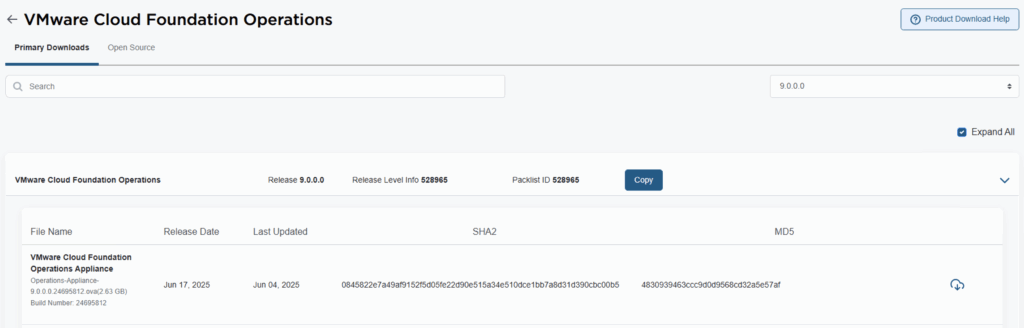
VMware Cloud Foundation 9 (VCF 9) introduces a streamlined deployment experience with the VCF Installer appliance, replacing the older Cloud Builder model. One of the core components in that workflow is VCF Operations, which provides unified lifecycle, monitoring, and fleet management across your private cloud environment. In this guide, we walk through deploying VCF Operations 9 from an OVA, detailing prerequisites, deployment steps, and post-deploy tasks. 1. Prerequisites & Preparation Before you deploy, make sure these items are in place: ...
October 3, 2025 · 3 min · Cosmin

Fixing “PostgreSQL won’t start after reboot” on VCF Operations Fleet Management 9.0.1 — and automating it

When upgrading the VCF Operations Fleet Management appliance to 9.0.1, you might hit a reboot surprise: vPostgres fails to start, and the fleet-management certificate is regenerated. You’ll see journal errors like: pg_ctl: could not open PID file "/var/vmware/vpostgres/current/pgdata/postmaster.pid": Permission denied systemd[1]: vpostgres.service: Control process exited, code=exited, status=1/FAILURE Broadcom’s KB confirms the symptoms and provides the manual steps to fix permissions on the Postgres data dir and to normalize the regenerated cert/key filenames, followed by service restarts. (manual steps) Fix pgdata permissions chmod 700 /var/vmware/vpostgres/current/pgdata/ Normalize the regenerated certificate & key in /opt/vmware/vlcm/cert by renaming the timestamped server.crt.* / server.key.* back to server.crt / server.key, then restart services (nginx, vrlcm-server.service) and verify status/logs. One-shot automated remediation (idempotent) Run this as root on the Fleet Management appliance (e.g., via SSH). It: ...

September 30, 2025 · 4 min · Cosmin

WordPress to Cloudflare Workers: how I statically mirrored my entire site (and kept search & lightbox!)

I wanted to cache everything behind Cloudflare and stop worrying about PHP, MySQL, and plugin drift on my backup site cosmin.gq. I tried one-click export plugins (both the free and paid Simply Static), but I couldn’t get a clean export that behaved like the live site. So I rolled up my sleeves and wrote a Bash script that: crawls the site using the official sitemaps (including .gz children), mirrors HTML + assets incrementally, cleans up quirks like ?p= permalinks, generates a small search index (no dependencies, no bs4), adds a lightweight lightbox for images, and serves it all from Cloudflare Workers Static Assets with a smart router that understands /path, /path/, /path.html, and /path/index.html. Below is the story of how each section of the script came to be, what went wrong, what I learned, and why each piece is there. ...

August 22, 2025 · 27 min · Cosmin
Article cover image

Suppress ESXi Host Alerts in VCF Operations 9 When a Host Enters Maintenance Mode

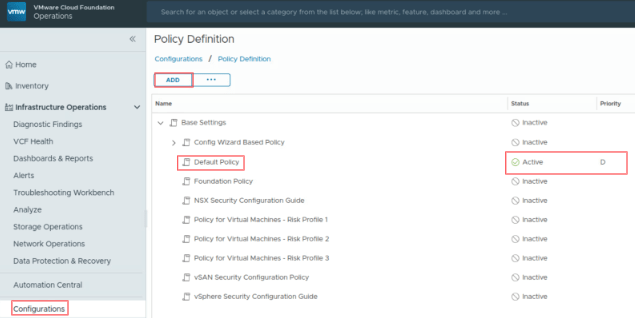
When a vSphere admin places an ESXi host in vCenter maintenance mode, VCF Operations should automatically suppress host alerts for that object, without pausing metric collection, and then restore alerting when maintenance ends. Why this approach? In VCF 9, you can avoid alert noise during maintenance in two ways: Maintenance Schedules – pause both collection and alerts during a defined window (best for planned maintenance). Policy-based alert suppression (this post) – keep metrics flowing but disable host alert definitions while the host is in maintenance. This is done with a policy attached to a dynamic custom group keyed to the host’s Maintenance Mode property. Note on naming: In VCF 9, VCF Operations is the successor to Aria/vRealize Operations and is part of the unified Cloud Foundation experience. If you’re upgrading from Aria Operations, see Broadcom’s “Upgrade to VCF Operations 9.0.” ...

July 30, 2025 · 3 min · Cosmin
Article cover image

Upgrading Aria Operations to 9.0 via Aria Suite Lifecycle

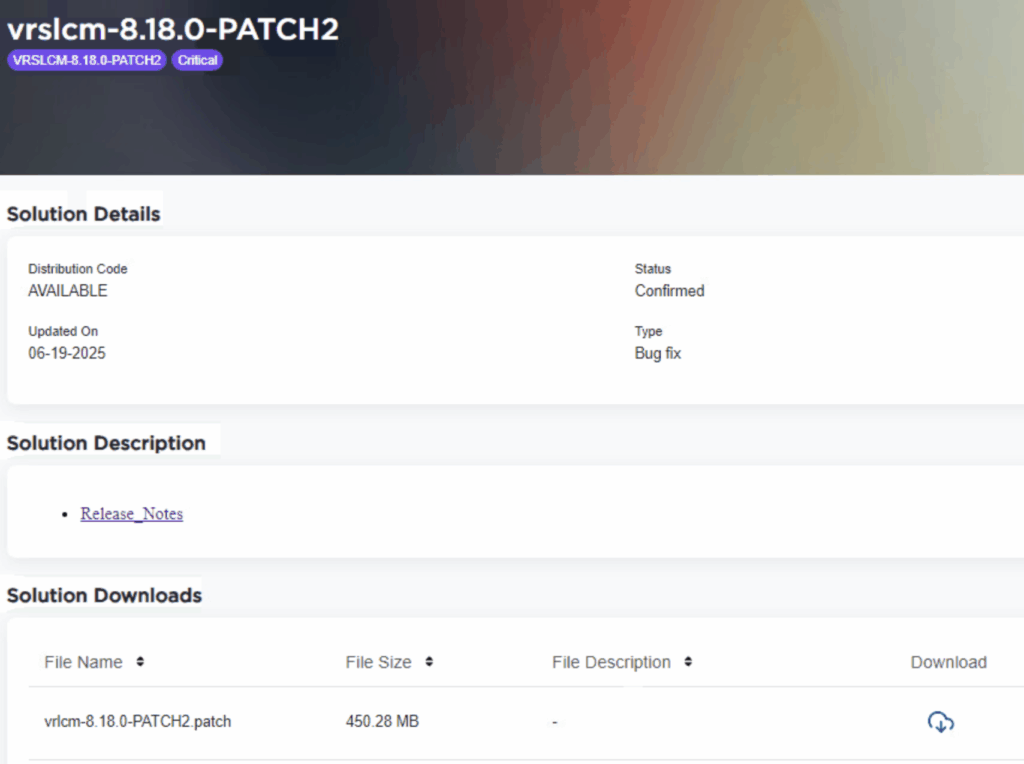
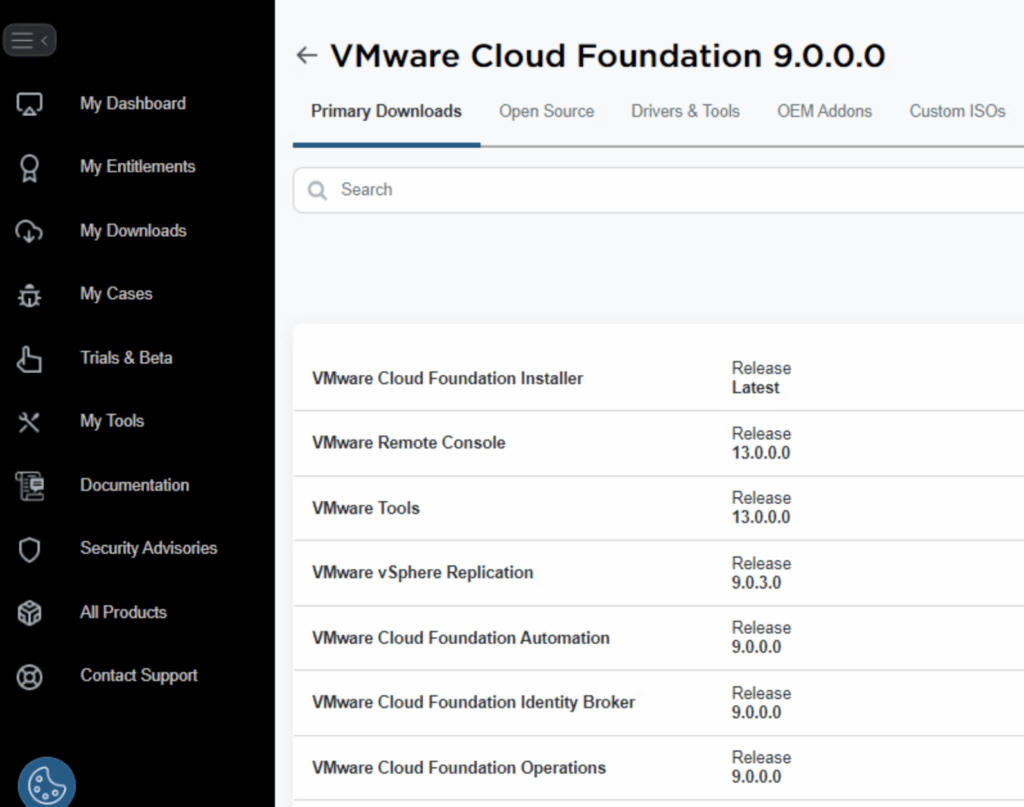
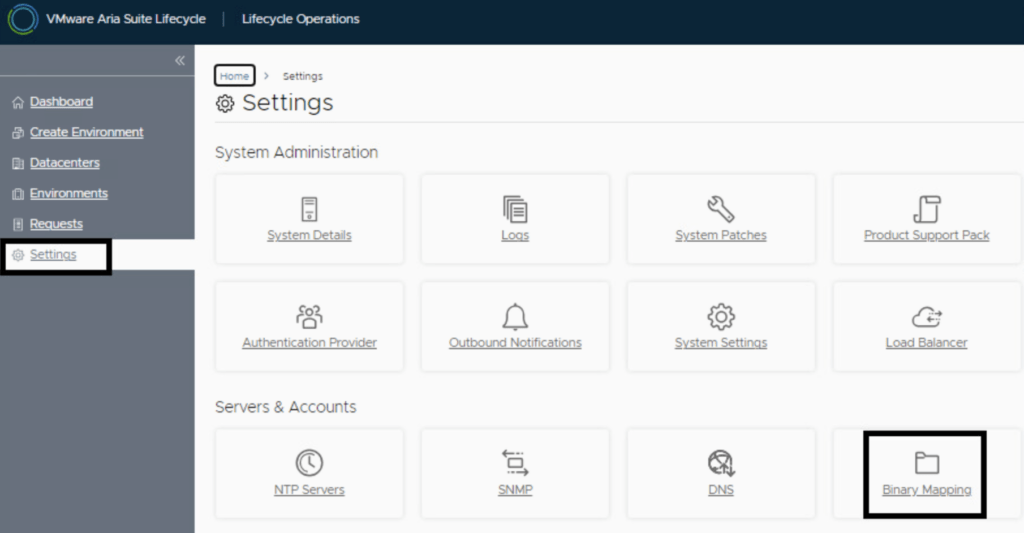
In this post I will go over upgrading Aria Operations 8.18.x appliance to 9.0 using Aria Suite Lifecycle. As a pre requirement we do need to have Aria Suite Lifecycle upgraded to 8.18 Patch 2. Instructions can be found here. To get started we can go to Aria Suite Lifecycle -> Lifecycle Operations -> Settings -> Binary Mapping. Click on Add Binaries under Product Binaries Due to changes after the 8.16 Aria Suite Lifecycle release (Release notes available here), My VMware based operations functionality has been deprecated. In my case, In this case, I choose to use Local and uploaded my .pak file to the /data/tmp directory on the Aria Suite Lifecycle appliance. The upgrade package can be downloaded from here. Don’t forget to also download the Lifecycle Manager Appliance. ...

June 20, 2025 · 3 min · Cosmin
Article cover image

Applying VMware Aria Suite Lifecycle Manager 8.18 Patch 2

Patch 2 prepares Aria Suite Lifecycle Manager (ASLCM) for VMware Cloud Foundation 9.0 migrations. It does not deliver new features or hot-fixes, so only install it if VCF 9.0 (or the new VCF Operations appliance) is on your near-term roadmap. Why Patch 2 Matters Patch 2 updates the appliance-level services that let ASLCM recognize and orchestrate VCF 9.0 components (for example, Aria Operations 9.0). Without it, the 8.18 lifecycle UI cannot import or upgrade those binaries. If you are staying on VCF 5.x/8.x for a while, you can safely defer this patch. ...

June 20, 2025 · 3 min · Cosmin
Article cover image

Upgrading VCF 5.2.1 to VCF 9 Step by Step

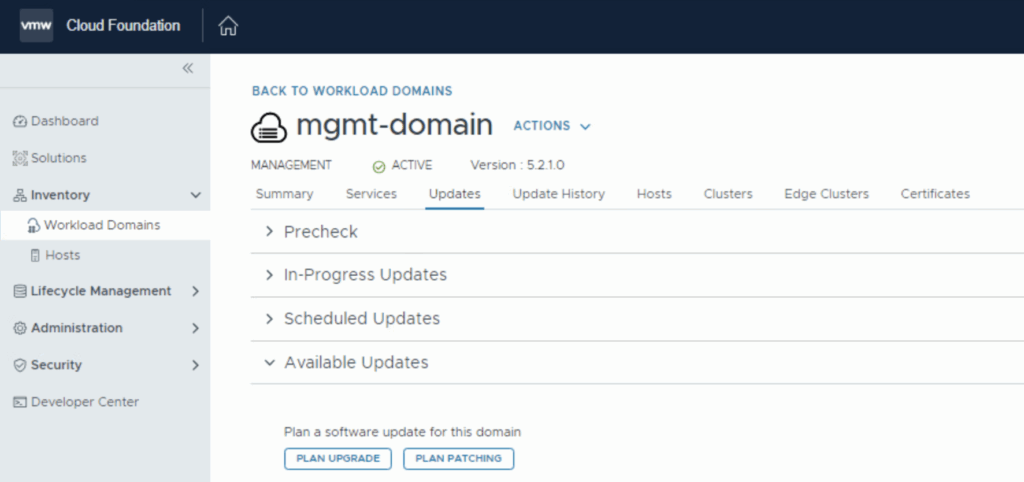
With the release of VCF 9 I wanted to get my lab upgraded. The release blog can be found here and the release notes are here Please note that some of the components within the VCF will still need additional upgrading. Please read the release notes for additional details. We can start by going to Inventory -> Workload Domains -> Select the domain -> Updates -> Plan Upgrade. Select Target Version VMware Cloud Foundation 9.0.0.0 and click Next ...

June 20, 2025 · 4 min · Cosmin
Article cover image

Patching\Upgrading ESXi 8 to ESXi 9 via esxcli

With the latest release of ESXi 9 i wanted to get my lab up to date. I don’t have enough resources in my lab to migrate the vCenter to another ESXi server so i want to perform the upgrade via cli. More details about the release can found here The first step was to open the firewall for outgoing traffic for http esxcli network firewall ruleset set -e true -r httpClient Second step was to list the updates by executing ...

June 20, 2025 · 2 min · Cosmin
Article cover image

Upgrading Aria Operations to 9.0 Using a .PAK File

Upgrading Aria Operations (formerly VMware vRealize Operations) is a crucial task to ensure you’re using the latest features, security patches, and performance improvements. In this guide, we’ll walk through the step-by-step process of upgrading Aria Operations using a .pak file. Prerequisites Before starting the upgrade, ensure the following prerequisites are met: Backup the Existing Deployment: • Take a snapshot of all nodes in the Aria Operations (Master, Cloud proxies, and any other nodes). ...

June 19, 2025 · 3 min · Cosmin
Article cover image

Deploy a VCF 9 Instance in an new VCF fleet

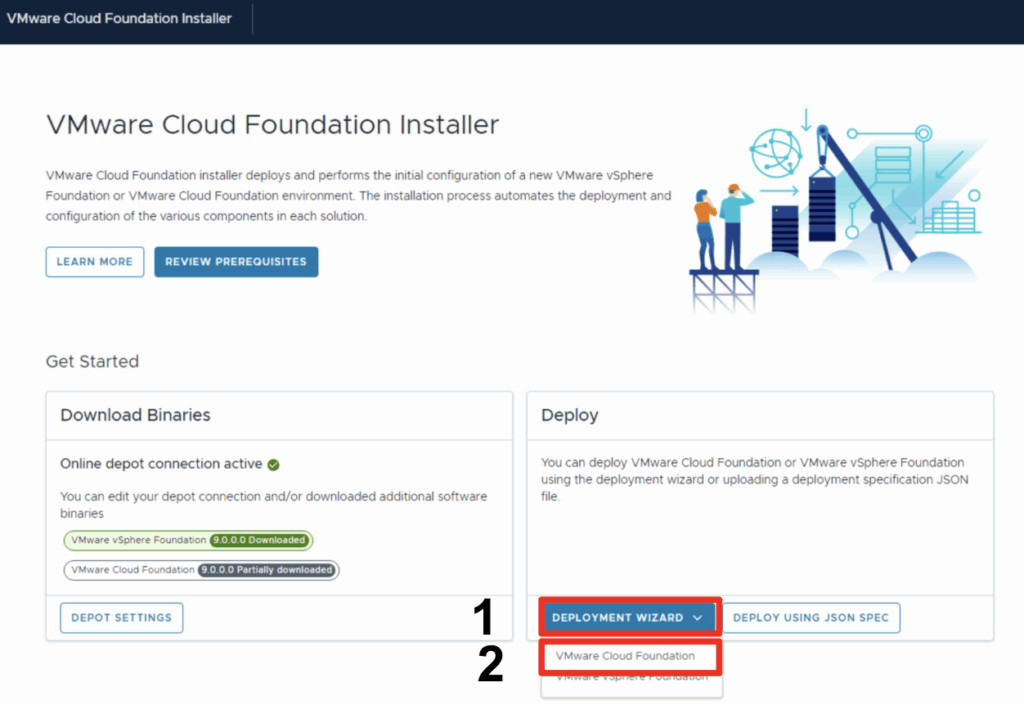
In this blog we will go over deploying a VCF 9 instance using existing components. Once logged on and binaries downloaded we can go through the Deployment wizard Click Deployment Wizard to bring up the menu Click on VMware Cloud Foundation Because I do not yet have any environments upgraded to the new fleet management this will be a new VCF Fleet. Through the deployment wizard we can select existing components and provide general information: ...

June 18, 2025 · 1 min · Cosmin