Article cover image

Skip-Level Upgrading VCF 4.1.0.1 to 4.3.1.0 Step by Step

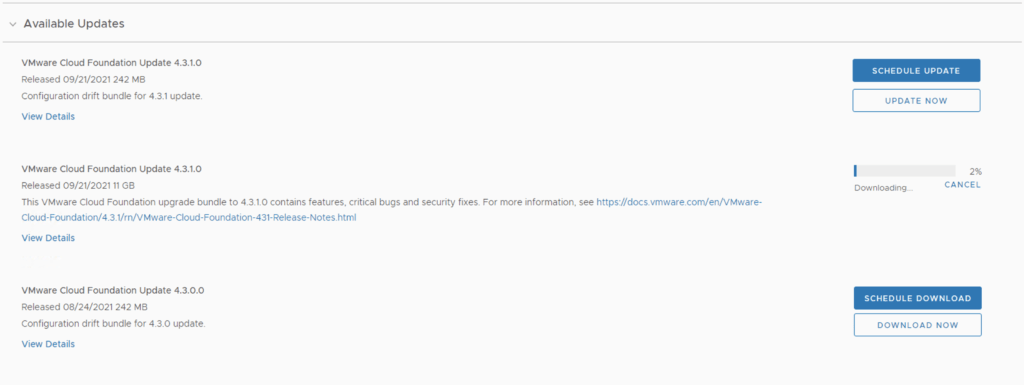
With the release of of VCF 4.3.1 i wanted to get my lab upgraded. The release blog can be found here and the release notes are here In order to get to 4.3.1.0 in the past we had to upgrade to each version incrementally. As per the documentation found here we can now upgrade from any release past 4.1.0.1 directly to 4.3.1 skipping the releases in between. We can do so by going to Repository -> Bundle management -> Download now. Download the Configuration drift bundle as well as the Update package. ...


October 23, 2021 · 3 min · Cosmin
Article cover image

Shutting down a vSAN Cluster

I have the need to completely shut down some of my vSAN clusters for various clusters and ive been having a hard time finding the proper procedure. As of 2/16/2021 VMware released guidance here Here are the steps i took to do it on my end. If you have the vCLS service enabled follow my other instructions here prior to starting the rest of this guide. Disable cluster member updates from vCenter on each ESXi host in the cluster by running ...

March 27, 2021 · 1 min · Cosmin
Article cover image

Upgrading VCF 4.1.0.0 to 4.2.0.0 Step by Step

With the release of of VCF 4.2 i wanted to get my lab upgraded. The release blog can be found here and the release notes are here In order to get to 4.2.0.0 we have to upgrade to 4.1.0.1. We can do so by going to Repository -> Bundle management -> Download now The next step is to upgrade VCF by going to Inventory -> Workload Domains -> Select the workload domain -> Update/Patches -> Update Now for the VMware Cloud Foundation Update 4.1.0.1. The release notes can be found here ...

March 25, 2021 · 3 min · Cosmin
Article cover image

vIDM 3.3.4 online upgrade

I wanted to go through the upgrade of vIDM 3.3.4 outside of lifecycle manager. I wanted to do it using the online upgrade via the console. Official documentation can be found here. First step is to log on to the console via the root credentials and upgrade the upgrade manager to 3.3.4 /usr/local/horizon/update/updatemgr.hzn updateinstaller Set the upgrade version that you are upgrading from in my case was 3.3.2 so i ran ...

February 17, 2021 · 1 min · Cosmin
Article cover image

Upgrading VCF 4.0.1.1 to 4.1.0.0

With the release of of VCF 4.1 i wanted to get my lab upgraded. The release blog can be found here and the release notes are here In my case i pre downloaded the VMware Cloud Foundation Update 4.1.0.0 by going to Repository -> Bundle management -> Download now The next step is to upgrade VCF by going to Inventory -> Workload Domains -> Select the workload domain -> Update/Patches -> Update Now ...

October 14, 2020 · 3 min · Cosmin

Extracting SSL Thumbprint

I recently ran in to an issue where i had to re-register my NSX server with vIDM. The ask was to extract the Thumbprint from vIDM. The command i ran to extract it was: echo -n | openssl s_client -connect hostname:443 2>/dev/null | openssl x509 -noout -fingerprint -sha256 This can be used across multiple products where the Thumbprint needs to be extracted

October 10, 2020 · 1 min · Cosmin
Article cover image

Deploying vRA with vRealize Lifecycle Manager in a VCF 4 Environment

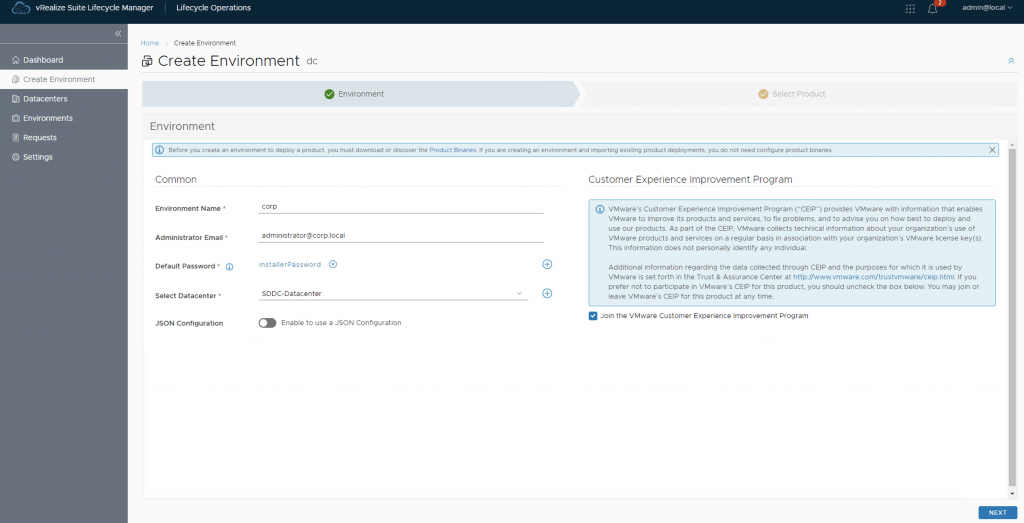
If you followed my previous posts Deploying the vRealize suite using VCF 4.0 and vRealize Lifeycycle Manager (vRSLCM) enable product dowloads you should now have vRA and vIDM already downloaded. In my previous post i went over the installation of vIDM which is a pre requisite for vRA. You can find the link here Next, we need to create a new environment that will be used to deploy vRA. For this we can go to Lifecycle Operations -> Create Environment. Fill in the necessary information and click next ...

September 13, 2020 · 2 min · Cosmin
Article cover image

Deploying vIDM with vRealize Lifecycle Manager in a VCF 4 Environment

If you followed my previous posts Deploying the vRealize suite using VCF 4.0 and vRealize Lifeycycle Manager (vRSLCM) enable product dowloads you should now have vRA and vIDM already downloaded. Because im running on a deployment from VCF i can see that the datacenter was already provioned for me under under Home -> Lifecycle Operations -> Datacenters However it seems like my Environment is not completely configured. In order to configure we can go to Home -> Lifecycle Operations -> Create Environment ...

September 13, 2020 · 2 min · Cosmin
Article cover image

X-Region Application Virtual Network is not created error

While trying to deploy vRealize Suite Lifecycle Manager in VCF 4, i was prompted by an error X-Region Application Virtual Network is not created After doing some research i found out that the error is due to AVN not getting deployed part of the initial deployment. I remembered that VCF 4 doesnt actually require it so after i did some research i was able to find a kb article that allowed me to continue with my install. KB 78608 ...

September 13, 2020 · 1 min · Cosmin
Article cover image

Deploying the vRealize suite using VCF 4.0

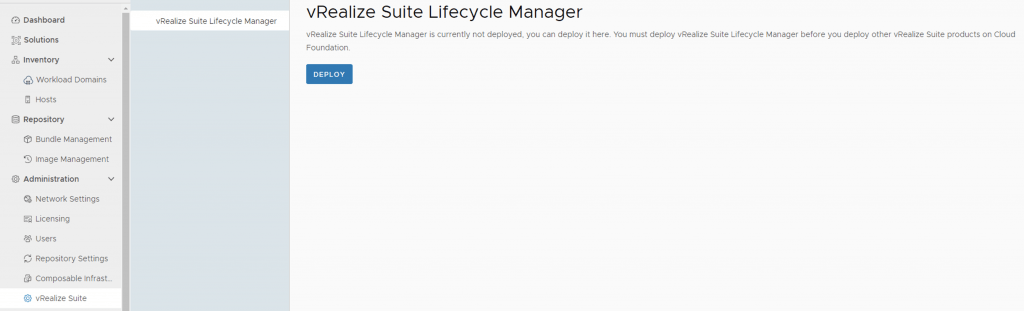
The official documentation for deploying the vRealize suite can be found here First step is to download the bundle by going to sddc-manager -> Repository -> Bundle management. Look for VMware Software Install Bundle - vRealize Suite Lifecycle Manager 8.1.0-16256499 After the download is complete we can go to Administration -> vRealize Suite and a deploy button should be available. If the deploy button is not available due to X-Region Application Virtual Network is not created errorplease follow the instructions found here: ...

September 13, 2020 · 1 min · Cosmin